
|
Do it yourself
| |||
| ||||


How to reset the Service light on a Mercedes Vito?
Model: Mercedes Vito
MK 3, W447
- Years:
2014, 2015, 2016, 2017, 2018, 2019, 2020, 2021, 2022, 2023, 2024
Video tutorial
On the Mercedes Vito, to reset the Service light, turn on the ignition so you can navigate the menu using the button located on the left of the instrument cluster. When "ASSYST PLUS" appears, press the R button. Keep this button pressed until "Confirm Service B" is displayed. At this point, confirm the reset by pressing the + button on the right of the instrument cluster twice. Once the reset is confirmed, you can turn off the ignition.
Updated on 9 October 2026 by ScegliAuto
Related tutorials
Mercedes Vito
(2014-2024 /
MK 3, W447)
This description is useful for all those who need to reset the service light of their Mercedes Vito, specifically the 447 series, which is the latest…
Mercedes Vito
(2003-2013 /
MK 2, W639)
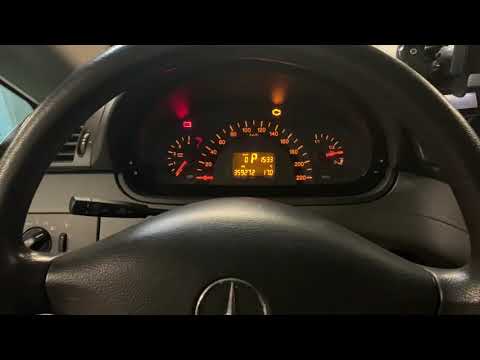
To reset the Service light on the Mercedes Vito, turn on the ignition by turning the key in the ignition switch. Then, press the M button located to …

Mercedes Vito
(2003-2013 /
MK 2, W639)
From the instrument panel of the Mercedes Vito, you can completely make the Service light disappear by turning on the instrument panel, turning the i…
Other guides you may be interested in |
How to Set the Time on the Central Display of the Toyota Yaris
Today, let's look at the instructions for adjusting the clock on the central display of the Toyota Yaris. First, get in the vehicle and turn on the instrument panel; then press and hold the button located to the right of the panel (next to the clock) until the time display starts to flash, as shown in the video. Now adjust the hour first, followed by the minutes, using the same button; finally, exit the time setting to save all changes made! by ScegliAuto More videos
|
|
For advertising on this site Write to info@scegliauto.com
ScegliAuto is not responsible for any inaccuracy of the data in the lists. To report any inaccuracy or your business (if you own the business in question), please write to info@scegliauto.com
Number of seconds to generate the page: 0.020
(c) ScegliAuto 2026 - info@scegliauto.com - Privacy policy VAT number: IT01247470535 |
