
|
Do it yourself
| |||
| ||||


Mitsubishi Xpander - Brake padsBrake Pads Mitsubishi Xpander (2017-2026 / nc 1 w, nc 2 w, mk 1, ne 3 w) Mitsubishi Xpander (2017-2026 / Nc1w, Nc2w, MK 1, Ne3w) How to Replace the Front Brake Pads on the Mitsubishi Xpander? To replace the front brake pads on the Mitsubishi Xpander, lift the vehicle with a jack or lift so that the corresponding wheel is off the ground. At this …Read all… Posted on 9 November 2026 by ScegliAuto  Mitsubishi Xpander (2017-2026 / Nc1w, Nc2w, MK 1, Ne3w) Replace the Front Brake Pads on the Mitsubishi Xpander In this guide, follow the instructions to remove and replace the front brake pads on the Mitsubishi Xpander. First, lift the vehicle and remove the front …Read all… Posted on 11 August 2026 by ScegliAuto Battery (2) Body (1) Key (5) Headlight bulb (1) Brake pads (2) Wheel (1) Warning light – error code (2) Service warning light (8) |
How to Reset the Tire Pressure Light on the Land Rover Range Rover Evoque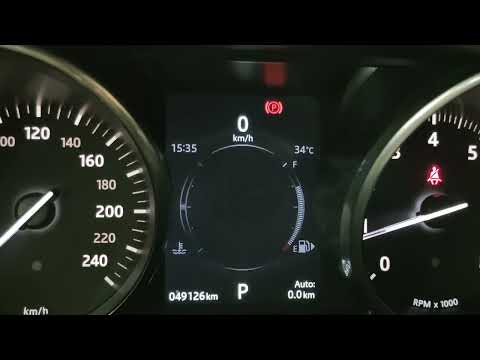
Today, let's go through the steps to reset the tire pressure light on the Land Rover Range Rover Evoque. First, get in the vehicle and turn on the ignition; then navigate to the settings on the onboard computer and select the tire pressure option to view the values, as shown in the video. At this point, restore the correct pressure in all four tires to clear the tire pressure warning light that appears on the instrument cluster! by ScegliAuto More videos
|
|
For advertising on this site Write to info@scegliauto.com
ScegliAuto is not responsible for any inaccuracy of the data in the lists. To report any inaccuracy or your business (if you own the business in question), please write to info@scegliauto.com
Number of seconds to generate the page: 0.006
(c) ScegliAuto 2026 - info@scegliauto.com - Privacy policy - About us VAT number: IT01247470535 |
