
|
Do it yourself
| |||
| ||||


How to Set the Correct Time on an Opel Astra G
Model: Vauxhall Astra
Astra G
- Years:
1998, 1999, 2000, 2001, 2002, 2003, 2004, 2005, 2006
Video tutorial
If your Opel Astra G displays the wrong time and you want to learn how to change it manually, simply follow this guide step by step. First, take your seat in the driver's position and turn on the instrument panel. Then, locate the two buttons next to the mini display and hold down the upper button for a moment. Next, press the same button three times so that the hour digit starts to flash. At this point, press the lower button multiple times to change the hour digit. Move on to the minutes by pressing the upper button and repeat the same procedure. Finally, press the upper button one last time to save the changes.
Posted on 27 October 2026 by ScegliAuto
Related tutorials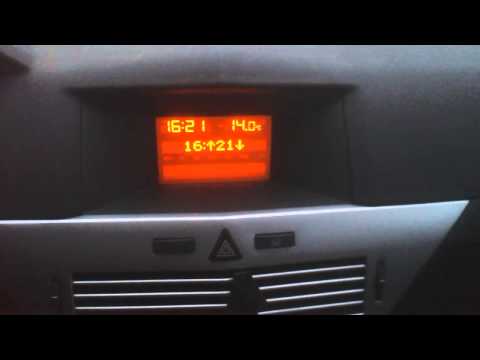
Vauxhall Astra
(2004-2010 /
Astra H)
Start by turning on the instrument cluster, which will automatically activate the stereo of the Opel Astra. Immediately turn off the stereo. Next, pr…

Vauxhall Astra
(2009-2016 /
Astra J)
To set the clock on an Opel Astra J, the procedure is done from the central display. Press the "JF" (or "Config") button to access the menu. Scroll t…
Vauxhall Astra
(2004-2010 /
Astra H)
Begin by activating the instrument cluster, which will also turn on the stereo of the Opel Astra. Next, turn off the radio. Then, press the "Setting"…
Other guides you may be interested in |
Frequently Asked QuestionsHow to Replace the Battery in a BMW 2 Series Active Tourer?
To replace the battery in a BMW 2 Series Active Tourer, open the hood to access the components in the engine compartment: in the upper right corner, just below the windshield on the driver's side, you will find a panel to remove. The battery is located under this panel and can be removed by loosening the screws that secure it and disconnecting the power cables; this will allow you to connect and install the new battery to ensure everything functions correctly. by ScegliAuto More videos
|
|
For advertising on this site Write to info@scegliauto.com
ScegliAuto is not responsible for any inaccuracy of the data in the lists. To report any inaccuracy or your business (if you own the business in question), please write to info@scegliauto.com
Number of seconds to generate the page: 0.019
(c) ScegliAuto 2026 - info@scegliauto.com - Privacy policy VAT number: IT01247470535 |
