
|
Do it yourself
| |||
| ||||


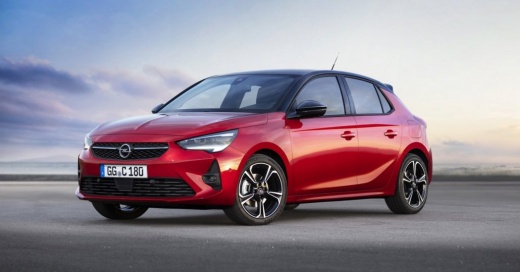
How to Reset the Tyre Warning Light in the Opel Corsa?
Model: Vauxhall Corsa
- Years:
2019, 2020, 2021, 2022, 2023, 2024, 2025, 2026
Video tutorial
In this tutorial, we will see how to reset the tyre warning light in the Opel Corsa, a very simple and quick operation, to be performed only after restoring the correct pressure in each tyre according to the instructions in the manual. First, enter the cabin, then insert the key and turn on the ignition. Next, navigate to the general menu on the touchscreen display, enter "Drive", "Safety", "Under-inflation detection", and confirm the reset. Finally, complete the procedure by restarting the vehicle.
Posted on 28 October 2026 by ScegliAuto
Related tutorials
Vauxhall Corsa
(2014-2019 /
Corsa E)
Open the driver's side door and turn on the instrument panel of your Opel Corsa E. From the main menu, select "Vehicle" and then "Safety". Find the o…
Vauxhall Corsa
(2014-2019 /
Corsa E)
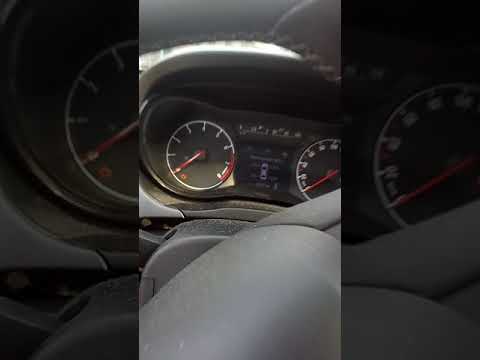
In this tutorial, you will learn how to reset the tyre warning light on an Opel Corsa, a very simple and quick task that should only be done after re…

Vauxhall Corsa
(2014-2019 /
Corsa E)
In this tutorial, you will learn how to reset the tyre pressure light on the Opel Corsa, a very simple operation. Before doing this, ensure that the …
Other guides you may be interested in |
How to Change the Key Battery of the DS7 Crossback
In today's article, learn how to replace the battery of the key/remote for the DS7 Crossback. You will need a CR2032 battery and a flathead screwdriver for this operation. First, remove the cover where the DS logo is located by inserting the screwdriver underneath and prying it up to lift the cover. Once removed, you will have access to the battery. Replace the battery, then reinsert the cover into its housing and close it by pressing down with your hands. by ScegliAuto More videos
|
|
For advertising on this site Write to info@scegliauto.com
ScegliAuto is not responsible for any inaccuracy of the data in the lists. To report any inaccuracy or your business (if you own the business in question), please write to info@scegliauto.com
Number of seconds to generate the page: 0.091
(c) ScegliAuto 2026 - info@scegliauto.com - Privacy policy VAT number: IT01247470535 |
