
|
Do it yourself
| |||
| ||||


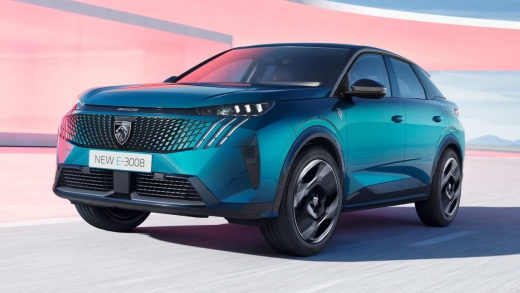
How to Activate the Nearby Parking Alert on a Peugeot 3008
Model: Peugeot 3008
P64
- Years:
2023, 2024, 2025, 2026
Video tutorial
To activate the nearby parking alert on a Peugeot 3008, access the Navigation menu on the touchscreen. Press the MENU button to open the secondary page, then select Settings. Choose the Map tab and scroll to the Alerts tab. Here you will find the option "Advise of car park nearby": select it to activate or deactivate it. Confirm with OK. From that moment, the system will show an alert when approaching a parking area. Other alerts, such as fuel stations, risk zones, and sound alerts, are also available on the same screen. This function is particularly useful in cities or unfamiliar areas but requires the connected navigation service to be active.
Posted on 25 October 2026 by ScegliAuto
Related tutorials
Peugeot 3008
(2016-2023 /
P84, MK 2)
To connect your smartphone to the Bluetooth car radio of the Peugeot 3008, first turn on the radio, then activate Bluetooth on your phone: use your p…

Peugeot 3008
(2016-2023 /
P84, MK 2)
Disabling the parking sensors on the 2022 Peugeot 3008 Hybrid from the onboard computer is a very simple and quick task to perform independently. Tod…

Peugeot 3008
(2016-2023 /
P84, MK 2)
Below are the instructions that will allow you to activate and deactivate the electric handbrake on a Peugeot 3008. When the vehicle is turned off, t…
Other guides you may be interested in |
Frequently Asked QuestionsHow to Replace the Battery in a BMW 2 Series Active Tourer?
To replace the battery in a BMW 2 Series Active Tourer, open the hood to access the components in the engine compartment: in the upper right corner, just below the windshield on the driver's side, you will find a panel to remove. The battery is located under this panel and can be removed by loosening the screws that secure it and disconnecting the power cables; this will allow you to connect and install the new battery to ensure everything functions correctly. by ScegliAuto More videos
|
|
For advertising on this site Write to info@scegliauto.com
ScegliAuto is not responsible for any inaccuracy of the data in the lists. To report any inaccuracy or your business (if you own the business in question), please write to info@scegliauto.com
Number of seconds to generate the page: 0.008
(c) ScegliAuto 2026 - info@scegliauto.com - Privacy policy VAT number: IT01247470535 |
