
|
Do it yourself
| |||
| ||||


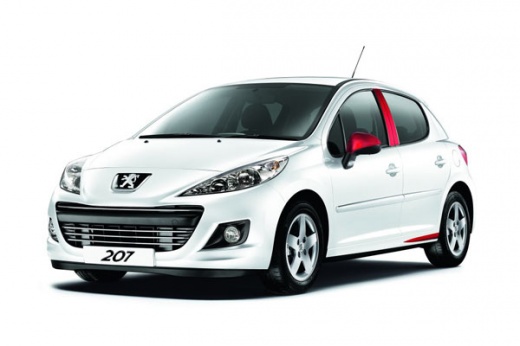
Setting the Time on Peugeot 207
Model: Peugeot 207
MK 1
- Years:
2006, 2007, 2008, 2009, 2010, 2011, 2012, 2013, 2014, 2015
Video tutorial
If you need to change the time on your Peugeot 207's radio because it is incorrect, you are in the right place. In a few steps, you will learn how to do this completely DIY. First, turn on the ignition and press the Menu button among the three buttons next to the dashboard. Press the Menu button until you scroll to the "Adjustment" option and confirm with the OK button below. Once confirmed, pressing the Menu button will scroll through the time settings from years down to minutes; you can change the set value by pressing the OK button. The menu will also ask if you want to set the time in 12-hour or 24-hour format. Press the upper button to confirm and exit the changes.
Updated on 8 June 2026 by ScegliAuto
Related tutorials
Peugeot 207
(2006-2015 /
MK 1)
Today we will explain how simple and fast it is to set the time and date on a 2010 Peugeot 207 car. To set a new date and time, we need to turn on th…

Peugeot 207
(2006-2015 /
MK 1)
To change the time and date on a Peugeot 207, start by turning on the instrument cluster. Using the buttons for the radio, press the menu button, and…

Peugeot 207
(2006-2015 /
MK 1)
Here is a brief but effective video guide to adjust the clock on the Peugeot 207. To do this: turn on the instrument panel and press the button at th…
Other guides you may be interested in |
How to Activate Cruise Control on the Peugeot 3008
Today's steps will show you how to activate cruise control on the Peugeot 3008, following the instructions below. First, get into the vehicle and start the engine. To activate cruise control, you must reach a minimum speed. Then, activate cruise control using the central button on the left stalk, adjusting the speed with the buttons; use the dial to set the speed limit. Pressing the brake pedal will automatically disable the cruise control system. by ScegliAuto More videos
|
|
For advertising on this site Write to info@scegliauto.com
ScegliAuto is not responsible for any inaccuracy of the data in the lists. To report any inaccuracy or your business (if you own the business in question), please write to info@scegliauto.com
Number of seconds to generate the page: 0.037
(c) ScegliAuto 2026 - info@scegliauto.com - Privacy policy VAT number: IT01247470535 |
