
|
Do it yourself
| |||
| ||||


How to find the system version installed on the Medianav of the Renault Clio
Model: Renault Clio
MK 4, Clio 4, Clio IV
- Years 2012-2019
Knowing the system version installed on your Medianav of the Renault Clio Mk4 is very important as it allows you to immediately understand if you have an updated or too obsolete version. To find out which version you are using just follow the steps described below. First start the car panel and of course also the Medianav. Then click on the settings icon and enter the "System" item. Click on the "System Version" option and a few moments later the software version that is installed will appear. Finally, just go back to exit the menu.
Posted on 23 March 2022 by ScegliAuto
Video tutorial
Related tutorials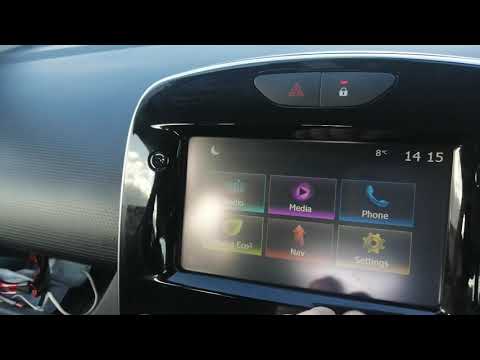
Renault Clio
(2012-2019 /
MK 4, Clio 4, Clio IV)
We will see below the main steps that will allow us to reset and update the Medianav multimedia system of the Renault Clio, but also of the Captur. F…

Renault Clio
(2012-2019 /
MK 4, Clio 4, Clio IV)
In today's video tutorial we will see how to disassemble the Medianav on-board computer of a Renault Clio, but also of other Renault and Dacia models…

Renault Clio
(2012-2019 /
MK 4, Clio 4, Clio IV)
Today's guide will show us how the Medianav multimedia system of the Renault Clio, as well as the Captur, works and how to use it. First, we get on b…
Other guides you may be interested in |
Frequently Asked QuestionsRemoving the Front Wheel of a Yamaha Tmax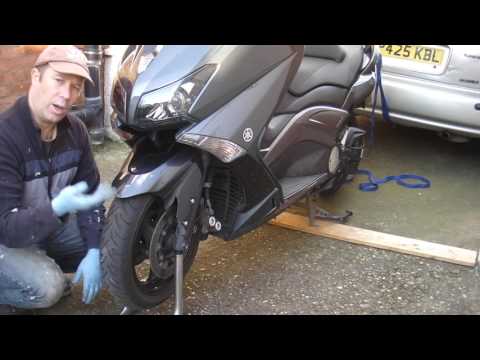
In this video tutorial, you will learn how to remove the front wheel of a Yamaha Tmax 530 (penultimate series). First, remove the fork bolts using a ratchet spanner: then also remove the brake caliper. Now, you will need a stand to lift the front of the bike to safely remove the wheel: then unscrew the central bolt of the wheel: at this point, you can remove it. If desired, you can also remove the mudguard by unscrewing the relevant screws. Apply the reverse procedure for reassembly! by ScegliAuto More videos
|
|
For advertising on this site Write to info@scegliauto.com
ScegliAuto is not responsible for any inaccuracy of the data in the lists. To report any inaccuracy or your business (if you own the business in question), please write to info@scegliauto.com
Number of seconds to generate the page: 0.062
(c) ScegliAuto 2026 - info@scegliauto.com - Privacy policy VAT number: IT01247470535 |
