
|
Do it yourself
| |||
| ||||


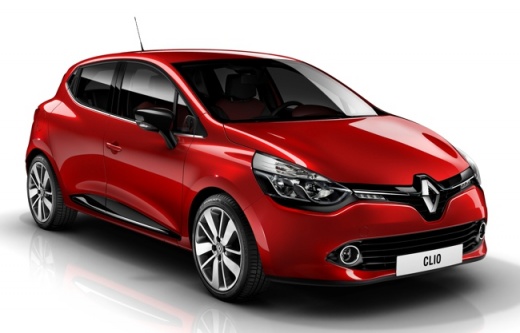
How to reset the maintenance light of Renault Clio 4.
Model: Renault Clio
MK 4, Clio 4, Clio IV
- Years 2012-2019
If you own a Renault Clio Mk4 (year 2012-2019) and want to find out how to perform a manual reset of the maintenance light, then all you have to do is follow the following guide. First, insert the key and start the ignition by pressing the appropriate button. Then navigate through the onboard menu until you see the option for vehicle maintenance. At this point, hold down the lower button located at the end of the right lever and wait for the reset of the light to complete. Finally, turn off the ignition and you're done.
Posted on 11 April 2023 by ScegliAuto
Video tutorial
Related tutorials
Renault Clio
(2019-2026 /
Clio 5, Clio V)
Let’s see how to reset the service light on a Renault Clio V: turn on the ignition without starting the engine and wait for the instrument test. Navi…
Renault Clio
(2005-2013 /
Clio 3, MK 3, Clio III)
When the service light on the instrument panel of your Renault Clio Mk3 (year 2005-2013) turns on, even after having performed the maintenance, you m…
Renault Clio
(2012-2019 /
MK 4, Clio 4, Clio IV)
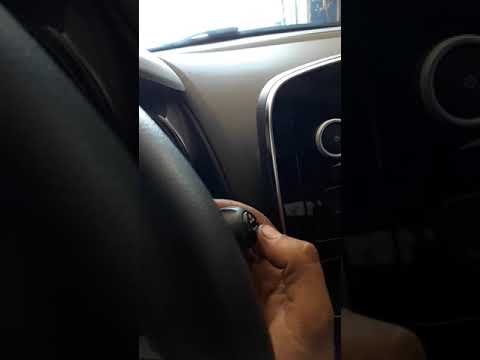
Before we can begin, we will have to go and sit in the driver's seat of our Renault Clio. We then begin to highlight the phrase "Maintenance autonomy…
Other guides you may be interested in
|
Frequently Asked QuestionsHow to Remove the Indicator Light from the External Mirror of a Jeep Renegade
How to remove the indicator light from the external mirror of a Jeep Renegade? Follow these steps: use a plastic or rubber lever to pry between the edge of the mirror frame and the mirror glass. Pry until the glass separates from the mirror; this is a delicate operation as the glass or the mirror itself may break. Once the mirror is removed, disconnect the power connector for the glass and press on the locking clips to detach the mirror cover. Remove the indicator from the mirror and replace the bulbs. by ScegliAuto More videos
|
|
For advertising on this site Write to info@scegliauto.com
ScegliAuto is not responsible for any inaccuracy of the data in the lists. To report any inaccuracy or your business (if you own the business in question), please write to info@scegliauto.com
Number of seconds to generate the page: 0.096
(c) ScegliAuto 2026 - info@scegliauto.com - Privacy policy VAT number: IT01247470535 |
