
|
Do it yourself
| |||
| ||||


How to reset the service light in the Renault Trafic van?
Model: Renault Trafic
MK 3
- Years 2014-2026
In this tutorial, we can see how to reset the service on the Renault Trafic van, an extremely simple and fast operation to be performed only once all scheduled maintenance work has been completed. First of all, we turn on the instrument panel, then we scroll through the various screens of the display using the directional arrows on the right control lever. Once we reach the screen related to the service, we hold down the up arrow once to enter the section, and a second time to perform the reset. Afterwards, we restart the panel to verify that the operation has been successfully completed.
Posted on 1 October 2023 by ScegliAuto
Video tutorial
Related tutorials
Renault Trafic
(2014-2026 /
MK 3)
Resetting the service in the Renault Trafic van, as we can see in this tutorial, is an extremely simple and fast operation. Before proceeding, make s…

Renault Trafic
(2014-2026 /
MK 3)
In this tutorial we can see how to reset the service in the Renault Trafic van, an extremely simple and quick operation, to be carried out only once …

Renault Trafic
(2014-2026 /
MK 3)
Resetting the service in the Renault Trafic van, as we can see in this tutorial, is an extremely simple and quick operation. Before proceeding, we mu…
Other guides you may be interested in
|
How to Replace the Fan Resistor on a Renault Scenic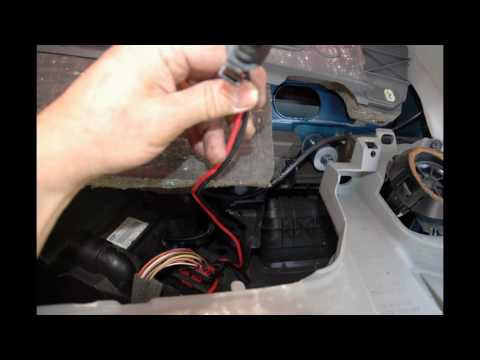
How to replace the fan resistor on a Renault Scenic. In this video, learn how to perform the disassembly: use a lever to remove the plastic under the glove compartment, and unscrew the cover (where the resistor is located) with a screwdriver. Disconnect the large connector of the resistor, then pull it out from the cabin. Insert a new fan resistor (connect the power connector). Finally, refit the cover and tighten the screws. Check the correct assembly of the previously fitted parts and test the correct operation of the fan. by ScegliAuto More videos
|
|
For advertising on this site Write to info@scegliauto.com
ScegliAuto is not responsible for any inaccuracy of the data in the lists. To report any inaccuracy or your business (if you own the business in question), please write to info@scegliauto.com
Number of seconds to generate the page: 0.048
(c) ScegliAuto 2026 - info@scegliauto.com - Privacy policy VAT number: IT01247470535 |
