
|
Do it yourself
| |||
| ||||


How do you reset the Service light on the Renault Espace?
Model: Renault Espace
MK 4
- Years 2002-2014
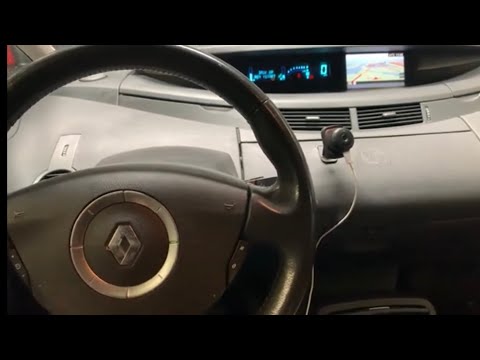
In order to reset the Service light of the Renault Espace, you need to insert the ignition key into the slot, so that you can turn on the instrument panel: once it is turned on, you can repeatedly press the button at the end of the lever on the right side of the steering wheel. This way you can reach the screen with the kilometers remaining for maintenance: when this appears, you must hold down the same button for a few seconds in order to completely reset the light and then turn off the instrument panel.
Posted on 17 July 2024 by ScegliAuto
Video tutorial
Related tutorials
Renault Espace
(2015-2022 /
MK 5)
In order to reset the Service light that appears on the instrument panel of the Renault Espace, you will need to insert the ignition key into the cor…

Renault Espace
(2015-2022 /
MK 5)
In order to reset the Service light of the Renault Espace, you need to turn on the instrument panel by inserting the ignition key into the correspond…
Renault Espace
(2002-2014 /
MK 4)
Performing the reset of the service indicator of the 2008 Renault Espace is a very simple operation, which can be done independently. The first step …
Other guides you may be interested in
|
How to Fold Down the Rear Seat on a Fiat Tipo
To fold down the rear seat on a Fiat Tipo for extra space in the cabin, first press the lever located on the backrest of the seat, move the seat forward, and rest it on the seat base. Pull the metal lever located at the back of the seat base, grasp the seat, and rotate it forward. Repeat the same operations on the other rear seats of the car, following the previously mentioned manoeuvres. You can load the volume of items you desire based on the space created by folding down the seats. by ScegliAuto More videos
|
|
For advertising on this site Write to info@scegliauto.com
ScegliAuto is not responsible for any inaccuracy of the data in the lists. To report any inaccuracy or your business (if you own the business in question), please write to info@scegliauto.com
Number of seconds to generate the page: 0.124
(c) ScegliAuto 2026 - info@scegliauto.com - Privacy policy VAT number: IT01247470535 |
