
|
Do it yourself
| |||
| ||||


How to remove the door handle from a Seat Arosa
Model: Seat Arosa
MK 1
- Years:
1997, 1998, 1999, 2000, 2001, 2002, 2003, 2004
Video tutorial
In this video, we will see how to remove the door handle from a Seat Arosa in order to prepare the door for repainting. The method is valid for any car in the VAG group. In the thickness of the door, we find a hole (or a rubber cap) at the height of the handle. In that hole, we insert a T20 screwdriver and loosen the screw inside by turning it 10 times. The YouTuber advises against removing it completely. This way, we will be able to pull out the lock, then we remove the handle's sealing cable with the screwdriver, which we can now remove without difficulty.
Posted on 22 February 2025 by ScegliAuto
Related tutorials
Seat Arosa
(1997-2004 /
MK 1)
How to remove the door cover panel? Let's look at removing the panel on a Seat Arosa. Remove the handle cover, unscrew the screws inside it. Unscrew …

Seat Arosa
(1997-2004 /
MK 1)
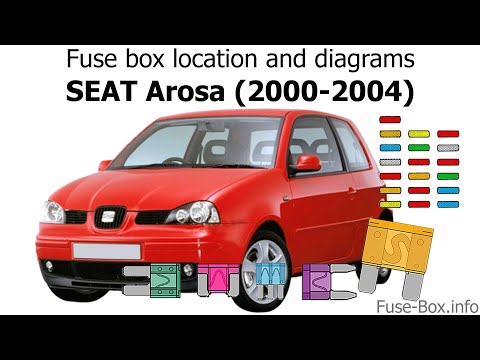
All the fuses in the Seat Arosa regulate the operation of the devices installed in the car: each of these fuses will be located inside the box that c…
Seat Arosa
(1997-2004 /
MK 1)
If there is an issue with one or more components in your Seat Arosa and you want to check the respective fuses, follow the steps below to locate them…
Other guides you may be interested in
|
How to enter the radio code in the Opel Zafira?
In the Opel Zafira, it may happen that the radio locks and consequently requests the appropriate security code, especially after disconnecting or replacing the battery. The code can be found in the documents provided at purchase or through one of the various online recovery services. Once obtained, enter it by following the procedure shown in this tutorial. First, switch on the instrument panel, then press and hold both the "AS" button and the left knob for about 5 seconds. Next, enter the first digit by repeatedly pressing the "1" button, continue with the next 3 buttons, and save the setting by pressing the "AS" button again. by ScegliAuto More videos
|
|
For advertising on this site Write to info@scegliauto.com
ScegliAuto is not responsible for any inaccuracy of the data in the lists. To report any inaccuracy or your business (if you own the business in question), please write to info@scegliauto.com
Number of seconds to generate the page: 0.029
(c) ScegliAuto 2026 - info@scegliauto.com - Privacy policy VAT number: IT01247470535 |
