
|
Do it yourself
| |||
| ||||



How to reset the TPMS warning light on the Seat Tarraco
Model: Seat Tarraco
KN2, MK 1
- Years:
2018, 2019, 2020, 2021, 2022, 2023, 2024
Video tutorial
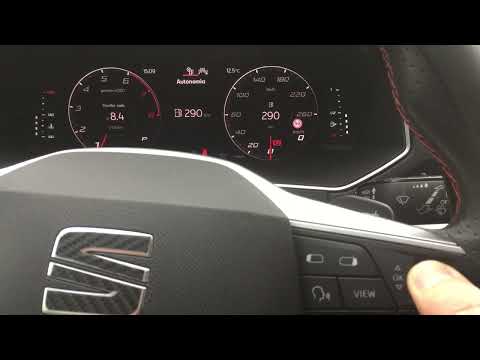
When the TPMS warning light remains on in the instrument panel of your Seat Tarraco even in the absence of a puncture, you must reset it manually. In the following guide you will find a description of all the steps you need to follow to complete the operation correctly. First of all, get into the car and start the instrument panel, then shift your attention to the infotainment system display and press the menu button several times until the "Vehicle status" screen appears. At this point, click on "Next" in the bottom right and then on "Set". Finally, confirm the reset of the TPMS warning light.
Posted on 20 April 2025 by ScegliAuto
Related tutorials
Seat Tarraco
(2018-2024 /
KN2, MK 1)
In this new mini guide, we will explain how you can manually reset the tire pressure warning light on the instrument panel of your Seat Tarraco (2018…
Seat Tarraco
(2018-2024 /
KN2, MK 1)
If you own a Seat Tarraco and want to know how to reset the maintenance light that keeps coming on the instrument panel, simply follow these easy ste…

Seat Tarraco
(2018-2024 /
KN2, MK 1)
In the following guide, we will describe all the steps you need to follow in order to manually reset the service light of your Seat Tarraco. First of…
Other guides you may be interested in |
How to Set the Clock on a Fiat Scudo
Setting the time on a Fiat Scudo is a simple and quick operation. First, turn on the vehicle's onboard computer and then press the SET button located on the dashboard. The settings menu will appear on the display; press the "+" button to select the "TIME" option using the "SET" button. Once in the clock menu, you can choose the format and adjust the hours and minutes by pressing the "+", "-" and "SET" buttons. When finished, return to the main menu and then turn off the ignition to complete the reset. by ScegliAuto More videos
|
|
For advertising on this site Write to info@scegliauto.com
ScegliAuto is not responsible for any inaccuracy of the data in the lists. To report any inaccuracy or your business (if you own the business in question), please write to info@scegliauto.com
Number of seconds to generate the page: 0.213
(c) ScegliAuto 2026 - info@scegliauto.com - Privacy policy VAT number: IT01247470535 |
