
|
Do it yourself
| |||
| ||||


How to Reset the Tire Pressure Sensors on Tesla Vehicles?
Model: Tesla Tesla Various
The tire pressure and its corresponding light can be reset through the car's touchscreen display. Once it is on, go to the service tab and look for the option related to tire pressure configuration. From its menu, select "reset tire pressure." Now, drive your Tesla for at least 10-15 minutes at a steady speed so that the four sensors (one on each tire) can detect the actual pressure, which will then be displayed.
Posted on 8 September 2026 by ScegliAuto
Video tutorial
Related tutorials
Tesla Tesla Various
Tesla is a well-known brand for its electric vehicles; let's explore the features of the Model X. Recognizable lines that look to the future, with a …
Other guides you may be interested in |
How to Remove the Headrests from a Fiat Panda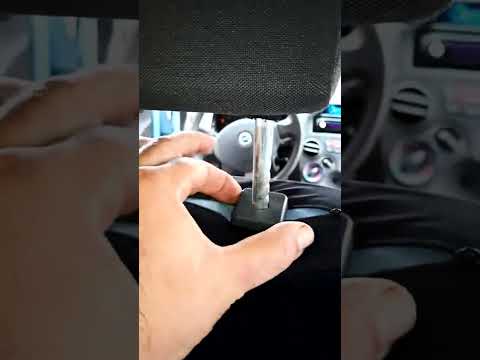
Below are the instructions to remove the headrests, both front and rear, from the Fiat Panda. First, get inside the vehicle and press and hold the side button located at the base of the headrest. Then, while holding the button, pull the headrest upwards to remove it, as shown in the video. At this point, perform the same operation on the other headrests. Now, simply insert them back in while holding the button, and finally adjust the height of all the headrests! by ScegliAuto More videos
|
|
For advertising on this site Write to info@scegliauto.com
ScegliAuto is not responsible for any inaccuracy of the data in the lists. To report any inaccuracy or your business (if you own the business in question), please write to info@scegliauto.com
Number of seconds to generate the page: 0.114
(c) ScegliAuto 2026 - info@scegliauto.com - Privacy policy VAT number: IT01247470535 |
