
|
Do it yourself
| |||
| ||||


|
Model: Aprilia Tuono V4 1100rr
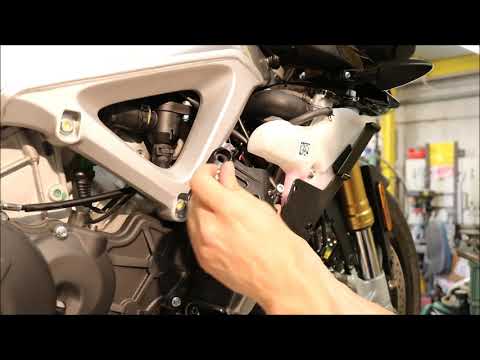
To replace the sliders on an Aprilia Tuono V4 1100RR, simply remove the old ones. Start with the rear wheel, where you can loosen the nut that secures the slider and slide it out of its housing. This way, the new slider can be inserted and secured with the appropriate nut. The same replacement procedure should then be carried out for the sliders located near the footpeg and on some bolts on the side fairings. For each slider, loosen the securing nut of the old one and tighten the new one with a torque wrench.
Updated on 29 April 2026 by ScegliAuto
Video tutorial
Related tutorials
Tuono V4 1100rr
On the exhaust of the Aprilia Tuono V4 1100RR, the replacement of the exhaust is carried out by unscrewing the screws that fix the exhaust to the res…

Tuono V4 1100rr
The exhaust pipe of the Aprilia Tuono V4 1100RR can be replaced by loosening the screws that secure the exhaust terminal to the appropriate supports,…
Tuono V4 1100rr
To replace the exhaust on an Aprilia Tuono V4 1100RR, loosen the bolts securing the exhaust to its respective mounts, located at the bottom and top o…
|
How to Reset the Oil Light on a Honda PCX 160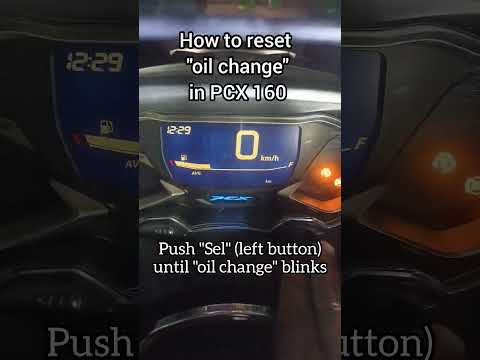
In this mini guide, discover the steps to manually reset the oil light on the central display of your Honda PCX 160. First, turn on the ignition with the key and press both the 'Sel' and 'Set' buttons located below it simultaneously. When the time starts to flash, hold 'Sel' until the oil indicator flashes, then press the 'Set' button once. To complete the reset, hold 'Sel' again until the operation is finished. by ScegliAuto More videos
|
|
For advertising on this site Write to info@scegliauto.com
ScegliAuto is not responsible for any inaccuracy of the data in the lists. To report any inaccuracy or your business (if you own the business in question), please write to info@scegliauto.com
Number of seconds to generate the page: 0.006
(c) ScegliAuto 2026 - info@scegliauto.com - Privacy policy VAT number: IT01247470535 |
