
|
Do it yourself
| |||
| ||||


Replacing the ABS Module and Programming
Model: Audi A6
MK 2, C5
- Years:
1997, 1998, 1999, 2000, 2001, 2002, 2003, 2004
Video tutorial
The ABS module is a device that calculates and requests the application of braking force, so that the driver does not have to worry about how to intervene to prevent wheel lock during an emergency stop. To replace the electronic module of the ABS system, only a few steps and some attention are needed. You must perform a diagnosis before removing the module, check for sufficient space to easily remove the module, and disconnect the control unit. After replacing the module, you must test the system using the KTS. Once the module has been replaced, proceed with a configuration called by the KTS, variant coding.
Updated on 9 February 2026 by ScegliAuto
Related tutorials
Audi A6
(1997-2004 /
MK 2, C5)
For this replacement operation, use a ratchet wrench with a 10 mm socket. Start by unbolting the brake fluid reservoir, which needs to be moved out o…
Audi A6
(2004-2012 /
C6, MK 3)
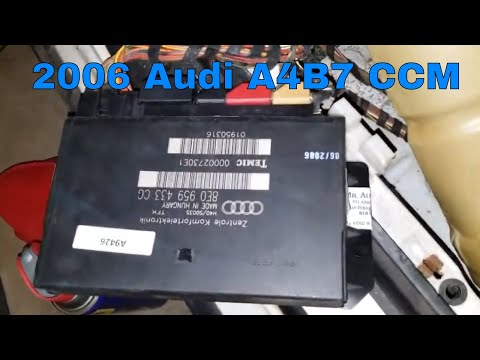
Do you want to replace the comfort module in an Audi A6? Let's see where to find the module and how to remove it. Open the driver's side door, and re…
Audi A6
(2004-2012 /
C6, MK 3)
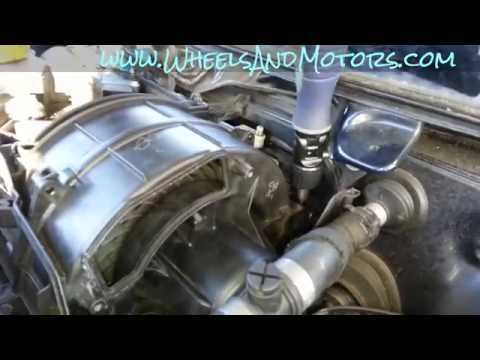
Open the hood, remove the plastic cover located just below the windshield by first pulling off the seal along the edge; remove the windshield wiper a…
Other guides you may be interested in
|
How to Set the Time in an Audi A4?
In this tutorial, you will see how to set the time in an Audi A4, a very simple and quick operation to perform after replacing the battery or when the time changes. First, insert the key and turn on the instrument cluster. Then, press the "SETUP" button located on the center console. Next, press the upper left arrow button, navigate to the "Time" option, and use the central knob to adjust the clock. Finally, set any necessary formats and save by returning to the main screen. by ScegliAuto More videos
|
|
For advertising on this site Write to info@scegliauto.com
ScegliAuto is not responsible for any inaccuracy of the data in the lists. To report any inaccuracy or your business (if you own the business in question), please write to info@scegliauto.com
Number of seconds to generate the page: 0.107
(c) ScegliAuto 2026 - info@scegliauto.com - Privacy policy VAT number: IT01247470535 |
