
|
Do it yourself
| |||
| ||||


How do you set the clock in the Mitsubishi ASX?
Model: Mitsubishi Asx
MK 1
- Years 2010-2023
When checking the various information that can be learned from the Mitsubishi ASX, we notice that the time shown to us is not correct. Nothing to worry about, we can easily and quickly solve the problem and update everything on our own. We press the Menu button on the dashboard, then we turn the right knob to reach the Time Setting option, choose Yes and then, still using the same knob, we will adjust the hours and minutes, confirming the change by pressing the knob one last time. At this point, the operation can be considered completed.
Posted on 16 April 2025 by ScegliAuto
Video tutorial
Related tutorials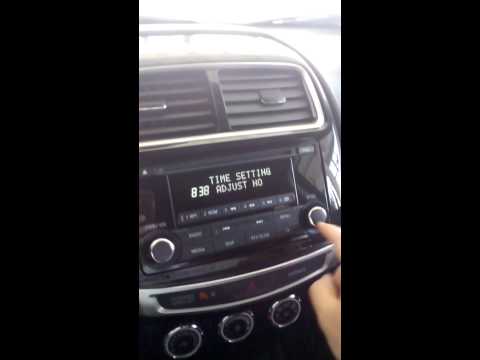
Mitsubishi Asx
(2010-2023 /
MK 1)
Briefly follow these steps to set the clock on the Mitsubishi ASX. First, get into the vehicle and turn on the instrument panel; then press the menu …

Mitsubishi Asx
(2010-2023 /
MK 1)
Today we will explain how to adjust the digital clock on the dashboard computer of the Mitsubishi Asx independently. To adjust the clock, we need to …
Mitsubishi Asx
(2010-2023 /
MK 1)
Before you can begin, open the driver's side front door of your Mitsubishi ASX. Start by pulling the bonnet release lever located near the door hinge…
Other guides you may be interested in
|
How to open the fuel tank door in the Hyundai I20?
In this tutorial we can see how to open the fuel tank door in the Hyundai I20, a very simple operation similar to the typical procedure of many vehicles. First of all, let's go inside the cabin, it is not necessary to insert the key or unlock all the locks, then we locate and operate the lever located in the lower left area of the cabin, right next to the driver's seat. Once we have done this, we exit the vehicle, open the door completely and unscrew the fuel tank cap. To close the door, simply press it gently until you hear a click. by ScegliAuto More videos
|

|
For advertising on this site Write to info@scegliauto.com
ScegliAuto is not responsible for any inaccuracy of the data in the lists. To report any inaccuracy or your business (if you own the business in question), please write to info@scegliauto.com
Number of seconds to generate the page: 0.105
(c) ScegliAuto 2026 - info@scegliauto.com - Privacy policy VAT number: IT01247470535 |
