
|
Do it yourself
| |||
| ||||


How to reset the service light on the Audi A3.
Model: Audi A3
MK 2, 8P
- Years 2003-2013
Performing a reset of the service indicator on the 2010 Audi A3 model 8p is a very simple operation to do independently. The steps to follow are: - Turn on the vehicle's instrument panel by inserting the key into the ignition slot; - Press the button located on the right side of the instrument panel; - Scroll through the car's settings menu until you reach the service option; - Set the new mileage for the next service by turning the wheel; - Turn off the instrument panel and remove the key; Finally, turn on the instrument panel to confirm the reset of the service indicator.
Posted on 24 November 2023 by ScegliAuto
Video tutorial
Related tutorials
Audi A3
(2020-2026 /
MK 4, 8Y)
In the following article, we will see how to reset the maintenance service light of the 2022 Audi A3. To reset this light, first start the instrument…

Audi A3
(2012-2019 /
8V, MK 3)
After changing the engine oil and oil filter, it will be necessary to reset the service light; let's see the procedure for resetting the maintenance …

Audi A3
(2003-2013 /
MK 2, 8P)
Today we will explain how to reset the service light on an Audi A3 model 8P. Resetting the light is a simple operation that can be done independently…
Other guides you may be interested in
|
How to Dismantle the Heating Radiator on a Mini Cooper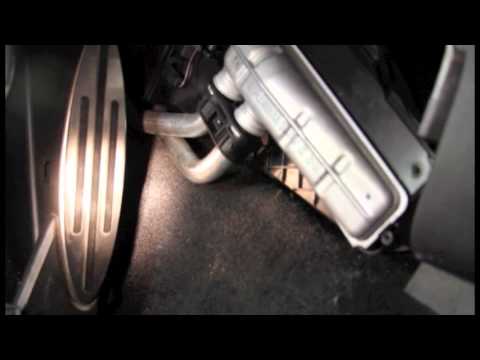
Let’s see how to dismantle the heating radiator on a Mini Cooper. First, remove the plastic cover of the centre tunnel (located under the centre tunnel on the left). Unscrew the securing screws with a screwdriver, and remove the black plastic cover that hides the heating radiator. Once all the described operations are completed, move to the engine bay: remove the plastic engine cover and disconnect the two hoses (unscrew the securing clips if present) of the radiator that goes into the cabin, allowing the fluid to drain. Disconnect the radiator from the pipes inside the cabin. Work in reverse for all the assembly steps. by ScegliAuto More videos
|
|
For advertising on this site Write to info@scegliauto.com
ScegliAuto is not responsible for any inaccuracy of the data in the lists. To report any inaccuracy or your business (if you own the business in question), please write to info@scegliauto.com
Number of seconds to generate the page: 0.118
(c) ScegliAuto 2026 - info@scegliauto.com - Privacy policy VAT number: IT01247470535 |
