
|
Do it yourself
| |||
| ||||


Video tutorial
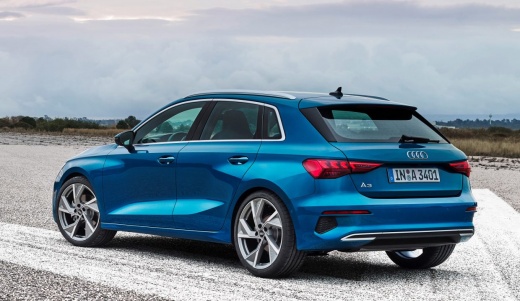
In this video, we follow the procedure for homologating wheels not listed on the registration document of an Audi A3, without following the homologation process at the DVLA, accompanied by the approval from the Manufacturer. In this case, the procedure related to the Wheel Decree No. 20 of the NAD homologation was followed, which allows the fitting of aftermarket wheels that bear the homologation number and are supplied with a certificate of conformity, indicating the tyre sizes that can be fitted with that wheel. With the certificate of conformity and the correct installation declaration, you must contact the DVLA to book the inspection and obtain the transcription of the new size on the registration document: the declaration must be made by a tyre fitter in the same county as the DVLA you are approaching for the inspection. The cost of the operation is around £50, payable via postal orders. Naturally, the cost increases slightly if you approach a vehicle registration agency, which handles the entire process for you. The decree can only be applied to M1 homologated vehicles, and not to N1 homologated trucks, only for aftermarket wheels. Not for original wheels.
Updated on 18 September 2026 by ScegliAuto
Related tutorials
Audi A3
(2012-2019 /
8V, MK 3)
We can see in this video how to replace the four chrome rings, emblem of Audi, with the four black rings, a much more aggressive and modern emblem. I…

Audi A3
(2012-2019 /
8V, MK 3)
This video is truly explanatory of the effect that the ESP system (electronic stability control) has on the wheels of an Audi A3, on a heavily wet ro…

Audi A3
(2003-2013 /
8P, MK 2)
How do you change the battery of the remote for the Audi A3 MK2? Follow these steps: extract the spring-loaded key and notice a small button in the c…
Other guides you may be interested in
|
How to Reset the AdBlue Warning Light on a Peugeot Boxer
To reset the AdBlue system on a 2018 Peugeot Boxer, follow these steps: Start the engine and ensure the vehicle is parked in a well-ventilated area. Locate the "MENU" button on the dashboard or steering wheel controls. Press and hold the "MENU" button until the menu options appear on the display. Use the arrow buttons or scroll wheel to access the "Vehicle Settings" or "Settings" menu. Select the "AdBlue" or "AdBlue System" option. Look for the "Recharge" or "Reset" option in the AdBlue menu. Once you find the reset option, select it and confirm your choice when prompted. The system will be reset, and a confirmation message may appear on the display. Turn off the engine and wait a few seconds. Restart the engine and check that the AdBlue system has been reset. by ScegliAuto More videos
|
|
For advertising on this site Write to info@scegliauto.com
ScegliAuto is not responsible for any inaccuracy of the data in the lists. To report any inaccuracy or your business (if you own the business in question), please write to info@scegliauto.com
Number of seconds to generate the page: 0.025
(c) ScegliAuto 2026 - info@scegliauto.com - Privacy policy VAT number: IT01247470535 |
