
|
Do it yourself
| |||
| ||||


How to Replace the Front Brake Pads on a BMW G310
Model: Bmw G310
This video is currently unavailable
To replace the front brake pads on a BMW G310, first, remove the nuts securing the internal pin of the brake caliper, which holds the pads in place. Once this pin is removed, you can slide the pads out from the back of the caliper. After the old pads are removed, insert the new ones into the caliper along with the appropriate pin; once this pin is in place, secure it with the nuts, ensuring the brake functions correctly.
Updated on 18 June 2026 by ScegliAuto
Related tutorials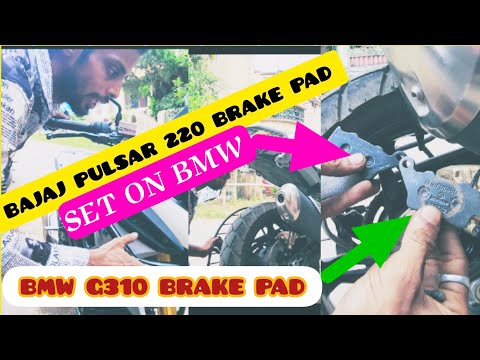
G310
To replace the rear brake pads on the BMW G310, loosen the bolts securing the brake caliper to the corresponding disc. Once these bolts are loosened,…

G310
To replace the brake pads on the BMW G310, loosen the bolts securing the brake caliper to the disc, allowing you to completely detach it. Once the ca…

G310
To replace the rear brake pads on a BMW G310, loosen the bolts securing the brake caliper to the brake disc, allowing the pin at the top of the calip…
|
How to Replace the Piston on a Derbi GPR 125
To replace the piston on a Derbi GPR 125, loosen the bolts securing the cylinder head to its housing, allowing it to be removed along with the valve cover. This will enable you to access the bolts securing the cylinder at the top of the engine, allowing for its complete removal and revealing the underlying piston. The piston can now be freed from its securing bolts, enabling you to position the new piston onto the corresponding conrod. After installation, refit the engine components. by ScegliAuto More videos
|
|
For advertising on this site Write to info@scegliauto.com
ScegliAuto is not responsible for any inaccuracy of the data in the lists. To report any inaccuracy or your business (if you own the business in question), please write to info@scegliauto.com
Number of seconds to generate the page: 0.006
(c) ScegliAuto 2026 - info@scegliauto.com - Privacy policy VAT number: IT01247470535 |
