
|
Do it yourself
| |||
| ||||


|
Model: Peugeot Tweet 125
Following these brief instructions, we will see how to perform the routine maintenance on the Peugeot Tweet 125 scooter. First of all, put the center stand and start by unscrewing the oil drain bolt located under the engine, letting it drain into a container for about ten minutes; then remove the compartment under the seat to unscrew the spark plug, replacing it with a new one, as shown in the video. At this point, clean or replace the air filter, and finally top up the engine oil (pouring the right amount).
Posted on 4 December 2024 by ScegliAuto
Video tutorial
Related tutorials
Tweet 125
Today we will discover how to reset the service warning light for the regular maintenance of the engine oil change on the Peugeot Tweet 125. First, w…

Tweet 125
Today's instructions will show us how to disassemble and replace the battery of the Peugeot Tweet 125 scooter, as well as the Tweet 50. First, we put…

Tweet 125
To replace the transmission of the Peugeot Tweet 125, you need to loosen the screws that fix the panel covering the rear wheel, on the left side of i…
|
Change the Bulb on a Piaggio Beverly 500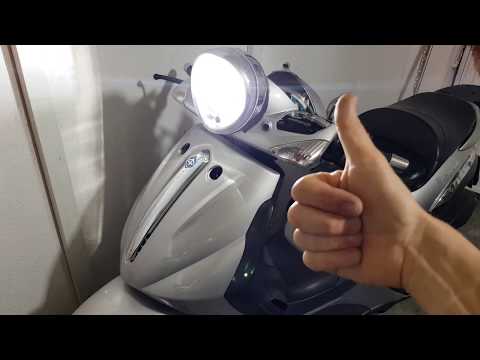
To change the bulb on the Beverly 500, be very careful and ensure you get the correct H4 bulb with the notch, as pointed out by the YouTuber. He made a mistake buying it and had to do a complicated job to adapt it. But you just need to buy the right one - check it carefully before purchasing. We found one that costs £25.99 and it looks just like his. Always remember not to touch the bulb with your hands, or you will damage it. At this point, simply remove the rear cover of the dashboard and reassemble it. Replace the cover and you're done. by ScegliAuto More videos
|
|
For advertising on this site Write to info@scegliauto.com
ScegliAuto is not responsible for any inaccuracy of the data in the lists. To report any inaccuracy or your business (if you own the business in question), please write to info@scegliauto.com
Number of seconds to generate the page: 0.008
(c) ScegliAuto 2026 - info@scegliauto.com - Privacy policy VAT number: IT01247470535 |
