
|
Do it yourself
| |||
| ||||


Reset on BMW X3
Model: BMW X3
F25, MK 2
- Years 2010-2017
Let's see the reset of the maintenance warning light of a BMW X3. Turn on the instrument panel with the appropriate button (we will see the maintenance written), press the button on the left of the instrument panel. Press the reset message once again, confirm the maintenance reset again. Finally we turn off the instrument panel with the appropriate key, immediately turn it on again to check the maintenance carried out (the warning light no longer remains fixed). Always remember to make changes to the on-board computer when the vehicle is stopped and turned off. We use the information display to confirm maintenance.
Posted on 5 January 2022 by ScegliAuto
Video tutorial
Related tutorials
BMW X3
(2010-2017 /
F25, MK 2)
These short and simple instructions will show us how to reset the maintenance service light for the regular oil change of the BMW X3. First of all, w…

BMW X3
(2003-2010 /
MK 1, E83)
The following steps will allow us to reset the tire pressure warning of the BMW X3; before resetting the TPMS sensors, it is necessary that all four …

BMW X3
(2010-2017 /
F25, MK 2)
To reset the tire pressure monitoring system of a BMW X3, start by turning on the instrument panel without starting the engine. Use the rotary dial l…
Other guides you may be interested in
|
Frequently Asked QuestionsHow to Replace the Damaged Number Plate Bulb on Fiat 600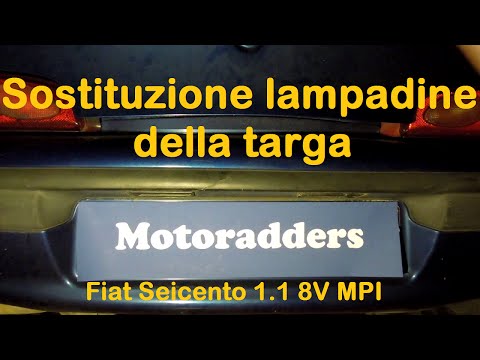
In this video, learn how to replace the damaged number plate bulb on a Fiat 600. Use a screwdriver or plastic lever to remove the number plate light unit located in the rear bumper of the car. Once the light unit is removed, extract the lamp holder with your hands, then disconnect the bulb from it. Fit the new bulb/LED (same size and voltage) into the lamp holder, then reassemble the light unit into the bodywork of the tailgate, pressing it until the clips lock automatically. Finally, test the correct operation of the previously installed bulb. by ScegliAuto More videos
|

|
For advertising on this site Write to info@scegliauto.com
ScegliAuto is not responsible for any inaccuracy of the data in the lists. To report any inaccuracy or your business (if you own the business in question), please write to info@scegliauto.com
Number of seconds to generate the page: 0.110
(c) ScegliAuto 2026 - info@scegliauto.com - Privacy policy VAT number: IT01247470535 |
