
|
Do it yourself
| |||
| ||||


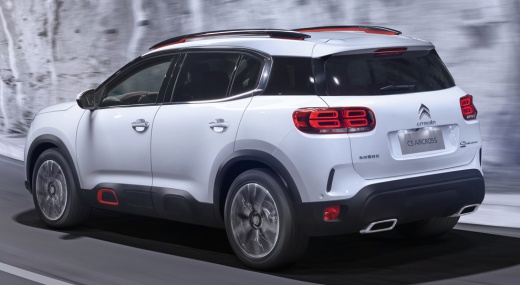
Installation of roof bars on a Citroen C5 Aircross
Model: Citroen C5 Aircross
MK 1
- Years:
2017, 2018, 2019, 2020, 2021, 2022
Video tutorial
In this video we see how to mount the bars on the roof of a Citroen C5 Aircross: the bars are the original Citroen ones. On the sides there are the attachments, which can be accessed by removing the caps where the brackets are mounted on the four sides; on these we will mount the attachment for the bar, and then on each of these attachments, we will lower the protective rubber. Now we insert the bar attachment, tightening the fixing bolts from both sides. We adjust the width we want to give to the bar, then tighten it to the desired length with the bolts at the base of the bar. We repeat with the rear one, aligning it; we close it with its security key and we are done.
Posted on 18 February 2025 by ScegliAuto
Related tutorials
Citroen C5 Aircross
(2017-2022 /
MK 1)
The Citroen C5 Aircross has achieved the maximum score of 5 stars in Euro Ncap crash tests, a score achieved thanks to the excellent performance in a…
Citroen C5 Aircross
(2017-2022 /
MK 1)
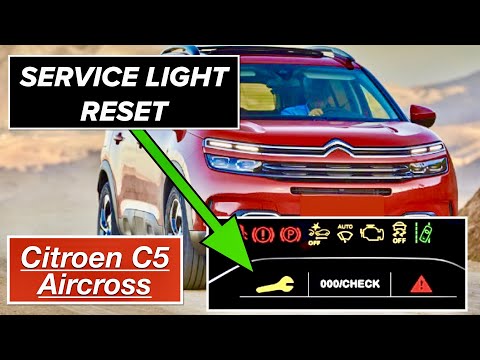
The manual reset procedure for the service light on your 2017 Citroen C5 Aircross takes just a few seconds to complete. With this guide, you will be …

Citroen C5 Aircross
(2017-2022 /
MK 1)
In this guide, we will help you locate the OBD port inside your Citroen C5 Aircross in just a few seconds and, most importantly, safely. First, open …
Other guides you may be interested in
|
How to Disable the Passenger Airbag in a Mercedes A-Class?
You can disable the passenger airbag in the specified vehicle at your own risk using the vehicle's key. There is a switch next to the steering wheel, on the driver's side, at knee height, through which you can activate and deactivate the airbag. In the video provided, you can clearly see the procedure, noting how the airbag indicator light, along with a message, alerts the driver about the activation or deactivation status. by ScegliAuto More videos
|
|
For advertising on this site Write to info@scegliauto.com
ScegliAuto is not responsible for any inaccuracy of the data in the lists. To report any inaccuracy or your business (if you own the business in question), please write to info@scegliauto.com
Number of seconds to generate the page: 0.084
(c) ScegliAuto 2026 - info@scegliauto.com - Privacy policy VAT number: IT01247470535 |
