
|
Do it yourself
| |||
| ||||


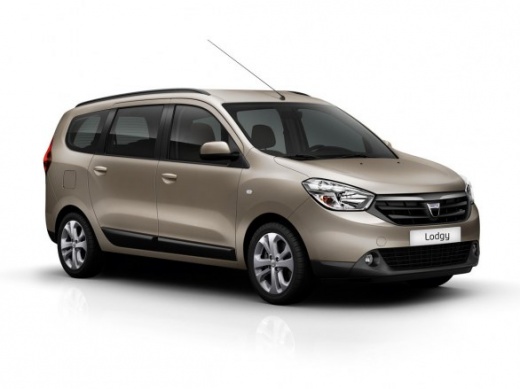
How to Disable ECO Mode in a Dacia Lodgy?
Model: Dacia Lodgy
MK 1
- Years:
2012, 2013, 2014, 2015, 2016, 2017, 2018, 2019, 2020, 2021, 2022
Video tutorial
In this tutorial, you will see how to disable ECO mode in a Dacia Lodgy, a very simple and quick operation to carry out, for example, if you find it too intrusive. First, go inside the cabin, then insert the key and start the vehicle. Next, locate the "ECO" button located in the lower area of the central console, just below the climate control buttons, press it and check that the corresponding indication has disappeared from the display. To reactivate the mode, simply press the button again.
Posted on 16 October 2026 by ScegliAuto
Related tutorials
Dacia Lodgy
(2012-2022 /
MK 1)
These brief and simple steps will show you how to deactivate the traction control of the Dacia Lodgy; however, it is recommended not to disable tract…

Dacia Lodgy
(2012-2022 /
MK 1)
Knowing where the fuse box is located in your vehicle is essential, as it may be useful to check for any faults and the integrity of one of the menti…
Dacia Lodgy
(2012-2022 /
MK 1)
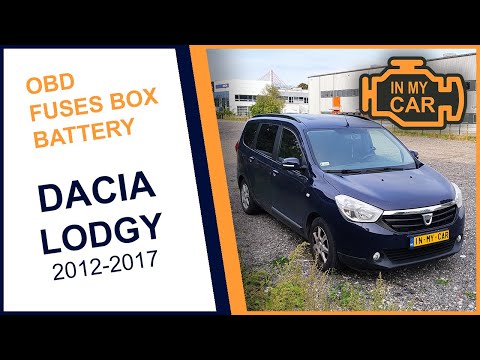
The fuses in the Dacia Lodgy are located within the designated fuse boxes present in the vehicle: this type of vehicle has two boxes for containing t…
Other guides you may be interested in |
How to reset the brake wear warning light on the Ford Transit?
To reset the brake wear warning light on the Ford Transit, first replace the worn brake pads with new replacement parts. Once the replacement is complete, disconnect the wear sensor connectors to allow them to reset. Then reconnect all the connectors to ensure they can read the new wear values. Therefore, enter the cabin and turn on the instrument panel to verify that the brake pad wear warning light has been reset. by ScegliAuto More videos
|
|
For advertising on this site Write to info@scegliauto.com
ScegliAuto is not responsible for any inaccuracy of the data in the lists. To report any inaccuracy or your business (if you own the business in question), please write to info@scegliauto.com
Number of seconds to generate the page: 0.068
(c) ScegliAuto 2026 - info@scegliauto.com - Privacy policy VAT number: IT01247470535 |
