
|
Do it yourself
| |||
| ||||


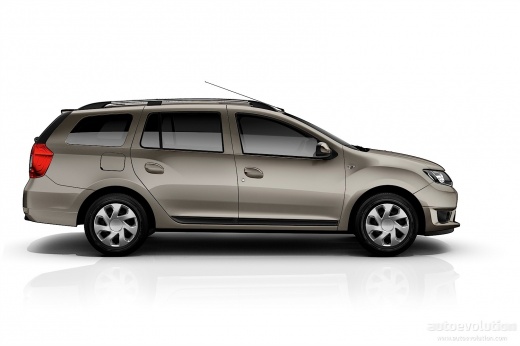
How to Reset the Tyre Pressure Light on a Dacia Logan
Model: Dacia Logan
MK 2
- Years:
2012, 2013, 2014, 2015, 2016, 2017, 2018, 2019, 2020, 2021, 2022
Video tutorial
Today, we will go through the main steps to reset the tyre pressure light on a Dacia Logan; before resetting the TPMS sensors, ensure all four tyres are at the correct operating pressure. Then, get in the vehicle and turn on the instrument panel; next, scroll through the onboard computer options until you reach 'set tp', as shown in the video. At this point, confirm and recalibrate the TPMS sensors by holding down the side arrow button.
Posted on 28 October 2026 by ScegliAuto
Related tutorials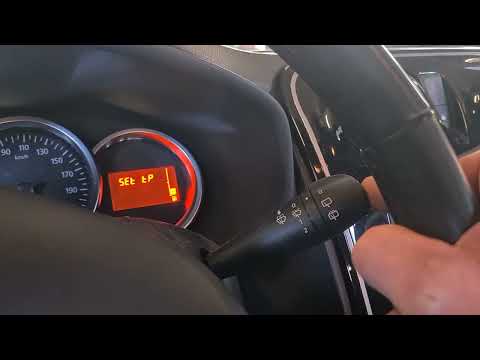
Dacia Logan
(2012-2022 /
MK 2)
To reset the tyre pressure warning light on the Dacia Logan, first inflate the tyres to the correct pressure value: this value is indicated on the st…

Dacia Logan
(2012-2022 /
MK 2)
To reset the tyre pressure warning light on the Dacia Logan, inflate the tyres until they reach the corresponding pressure value, which is indicated …

Dacia Logan
(2012-2022 /
MK 2)
If the tyre warning light on your Dacia Logan dashboard illuminates despite none of the tyres being flat or losing pressure, you must perform a manua…
Other guides you may be interested in |
How to Reset the TPMS Light on the 2014 Toyota Yaris
Resetting the TPMS light, which relates to tyre pressure, is a simple and quick task that can be done independently on the 2014 Toyota Yaris. To reset the light, turn on the ignition and press the RESET button located under the dashboard on the driver's side. While holding the button down, you can access the reset function and wait a few seconds before releasing the button. Once the ignition is restarted, the light will turn off. If the light does not reset, you may need to perform the reset using a scanner and OBD port at a garage. by ScegliAuto More videos
|
|
For advertising on this site Write to info@scegliauto.com
ScegliAuto is not responsible for any inaccuracy of the data in the lists. To report any inaccuracy or your business (if you own the business in question), please write to info@scegliauto.com
Number of seconds to generate the page: 0.006
(c) ScegliAuto 2026 - info@scegliauto.com - Privacy policy VAT number: IT01247470535 |
