
|
Do it yourself
| |||
| ||||


How to reset the service light of the 2018 DR
Model: DR 3
MK 1
- Years 2018-2026
The reset of the service light, related to the car service, of the 2018 DR 3 follows simple and quick steps that can be performed independently thanks to our short video tutorial. To reset the light, first press the Menu button on the left side of the steering wheel. Then, while holding down the button, turn on the instrument panel and wait a few seconds, release the button and turn off the instrument panel when the light stops flashing. Once finished, you can turn off and on the vehicle to complete the service light reset.
Posted on 4 March 2024 by ScegliAuto
Video tutorial
Related tutorials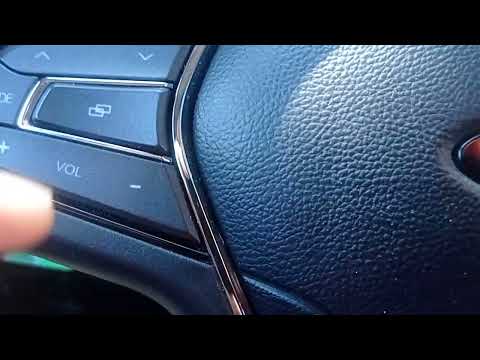
DR 3
(2018-2026 /
MK 1)
The reset of the service light or maintenance light on DR 3 models should only be performed if you have had a complete maintenance service done on yo…
DR 3
(2018-2026 /
MK 1)
You need to leave for a car trip and you need more space but you don't know how to lower the seats of your DR3 completely? Don't worry, we'll take ca…

DR 3
(2018-2026 /
MK 1)
We will briefly see the step-by-step instructions on how to adjust the clock on the display of the instrument panel of the DR 3. First, let's get ins…
Other guides you may be interested in
|
Replace Remote Key Battery on BMW X1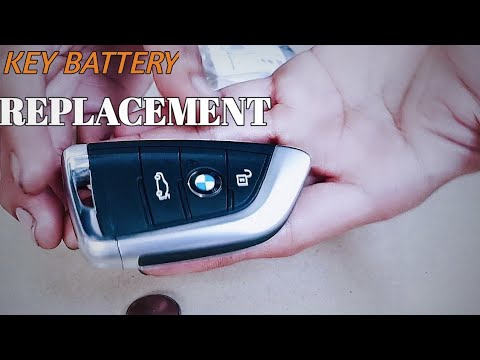
Is the remote key battery dead? Let's see how to change it. Take the remote and slide the button to release the metal key. Once extracted, use a screwdriver to pry between the key cover and the plastic cap. Pry until the two pieces separate from the cover, remove the battery holder, replace the worn battery with a new one of the same size and voltage. Reassemble the cover and insert the metal key back into the remote. Check the remote's functionality with the buttons. by ScegliAuto More videos
|
|
For advertising on this site Write to info@scegliauto.com
ScegliAuto is not responsible for any inaccuracy of the data in the lists. To report any inaccuracy or your business (if you own the business in question), please write to info@scegliauto.com
Number of seconds to generate the page: 0.058
(c) ScegliAuto 2026 - info@scegliauto.com - Privacy policy VAT number: IT01247470535 |
