
|
Do it yourself
| |||
| ||||


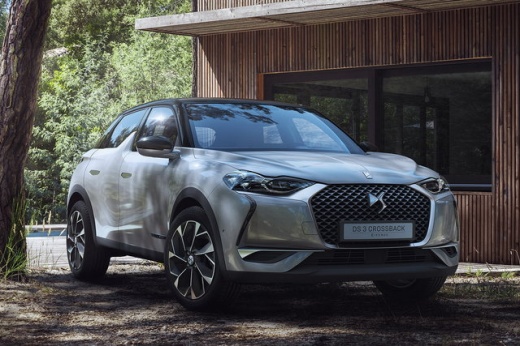
How to reset the service in the DS 3 Crossback?
Model: DS DS 3
MK 2
- Years 2018-2026
Resetting the service in the DS 3 Crossback, as we can see in this tutorial, is an extremely simple and quick operation. Before proceeding, we must have completed all the scheduled maintenance work. Let's start by going inside the cabin, then insert the key but leave it in the first position. Then press and hold the button at the end of the left control lever, simultaneously turn on the instrument panel and keep the button pressed for the entire duration of the countdown displayed. To complete the procedure, simply restart the vehicle.
Posted on 19 September 2025 by ScegliAuto
Video tutorial
Related tutorials
DS DS 3
(2018-2026 /
MK 2)
In order to program the key of the DS 3 Crossback, you need to insert the blank key into the corresponding slot: this will also allow you to connect …

DS DS 3
(2018-2026 /
MK 2)
In this video we can see how to activate the navigation services on a DS3 Crossback, which are included for three years on the car; in addition to ma…

DS DS 3
(2018-2026 /
MK 2)
In this video, we see how to change the battery of the Citroen DS3 Crossback remote control: on the back of the remote control, there is a slot where…
Other guides you may be interested in
|
How to Remove the Original Radio on a Honda CR-V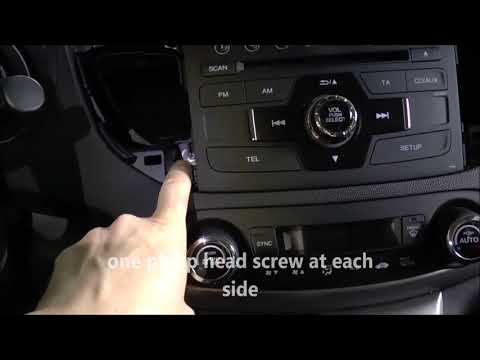
How do you remove the original radio on a Honda CR-V? First, use a plastic lever to remove the side cover of the radio (the air vents), then, with a screwdriver, unscrew the securing screws located on the sides (if present). After unscrewing the side screws (and disconnecting the clips) of the stereo, pull it out from its slot and remove it (disconnect the various power connectors at the back). To install the new stereo and the various removed parts, proceed in reverse order. by ScegliAuto More videos
|
|
For advertising on this site Write to info@scegliauto.com
ScegliAuto is not responsible for any inaccuracy of the data in the lists. To report any inaccuracy or your business (if you own the business in question), please write to info@scegliauto.com
Number of seconds to generate the page: 0.114
(c) ScegliAuto 2026 - info@scegliauto.com - Privacy policy VAT number: IT01247470535 |
