
|
Do it yourself
| |||
| ||||


How to Connect Your Smartphone to the Bluetooth Radio of the Fiat Linea?
Model: Fiat Linea
MK 1
- Years 2007-2018
To connect your smartphone to the Bluetooth radio of the Fiat Linea, you need to activate the visibility of the stereo from its settings, switching it to "ON". Once the device is visible, activate the Bluetooth connectivity on your smartphone and search for the radio. When it is found, select it to start pairing the two devices: confirm the pairing code that will be displayed on the screen. Now you can stream multimedia content and calls to the radio.
Updated on 30 June 2026 by ScegliAuto
Video tutorial
Related tutorials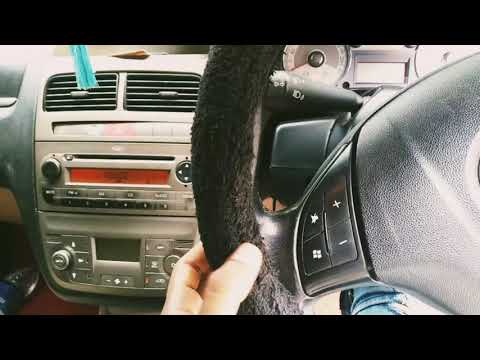
Fiat Linea
(2007-2018 /
MK 1)
To connect your smartphone via Bluetooth to the Fiat Linea's radio, turn on the radio using the designated button after the instrument cluster is pow…

Fiat Linea
(2007-2018 /
MK 1)
In this guide, we will see the main instructions on how to disassemble and replace the starter motor of the Fiat Linea 1.3 MultiJet. First, let's ope…

Fiat Linea
(2007-2018 /
MK 1)
Replacing the gear knob of your Fiat Linea is undoubtedly one of the simplest operations that you can also perform independently and without any part…
Other guides you may be interested in |
How to Bleed the Clutch on a Renault Clio?
To bleed the clutch on a Renault Clio, open the bonnet to access the components located in the engine bay: here, you will need to undo the screws that secure the battery in its housing, the intake manifold, and the coolant reservoir. This will allow you to locate the pipe through which the brake fluid flows: by inserting the other end of the pipe into a container, you can press the clutch pedal to expel all the fluid until it fills the container. by ScegliAuto More videos
|
|
For advertising on this site Write to info@scegliauto.com
ScegliAuto is not responsible for any inaccuracy of the data in the lists. To report any inaccuracy or your business (if you own the business in question), please write to info@scegliauto.com
Number of seconds to generate the page: 0.180
(c) ScegliAuto 2026 - info@scegliauto.com - Privacy policy VAT number: IT01247470535 |
