
|
Do it yourself
| |||
| ||||


Ford Bronco - KeyKey Ford Bronco (2021-2028 / u 725) Ford Bronco (2021-2026 / U725) How to Replace the Key Battery in Your Ford Bronco To replace the small battery located inside the key of your latest Ford Bronco, read and correctly apply the procedure described below. First, obtain a small …Read all… Posted on 15 November 2026 by ScegliAuto  Ford Bronco (2021-2026 / U725) How to replace the battery in the Ford Bronco key. The procedure to replace the battery inside the key of your Ford Bronco is identical to that for many other Ford vehicles. First, you need to have a new CR2032 …Read all… Posted on 20 October 2025 by ScegliAuto  Ford Bronco (2021-2026 / U725) How to Replace the Key Fob Battery for the Ford Bronco? In this tutorial, you will see how to replace the key fob battery for the Ford Bronco. For this simple and quick task, you will need a small flathead …Read all… Posted on 3 August 2026 by ScegliAuto
Ford Bronco (2021-2026 / U725)How to Replace the Key Battery for the 2021 Ford Bronco Replacing the battery in your new 2021 Ford Bronco key is one of the simplest tasks you can do on your own. With the following guide, you won't encounter any …Read all… Posted on 29 July 2026 by ScegliAuto Battery (1) Body (1) Key (4) Onboard computer (1) Air filter (1) Cabin air filter (2) Fuel filter (1) Power window motor (1) Engine oil (1) Fuse box (8) Warning light – error code (1) Tire pressure warning light (1) Service warning light (2) |
How to Reset the Tyre Pressure Warning Light on the Jeep Compass?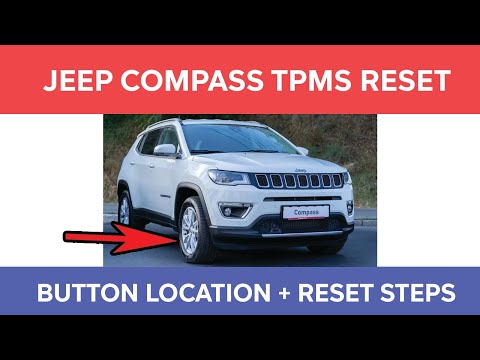
To reset the tyre pressure warning light on the Jeep Compass, inflate all tyres to the correct pressure value, which is indicated on the sticker affixed to the driver’s door pillar. Once all tyres are at this pressure, switch on the ignition and press and hold the corresponding button located to the left of the steering wheel. This will turn off the warning light, but to prevent it from reactivating, you must reset the system using an OBD scanner connected to the designated port. by ScegliAuto More videos
|
|
For advertising on this site Write to info@scegliauto.com
ScegliAuto is not responsible for any inaccuracy of the data in the lists. To report any inaccuracy or your business (if you own the business in question), please write to info@scegliauto.com
Number of seconds to generate the page: 0.006
(c) ScegliAuto 2026 - info@scegliauto.com - Privacy policy - About us VAT number: IT01247470535 |
