
|
Do it yourself
| |||
| ||||


How do you reset the Service light on the Ford Fiesta?
Model: Ford Fiesta
Fiesta 7, MK 7, MK VII
- Years 2017-2023
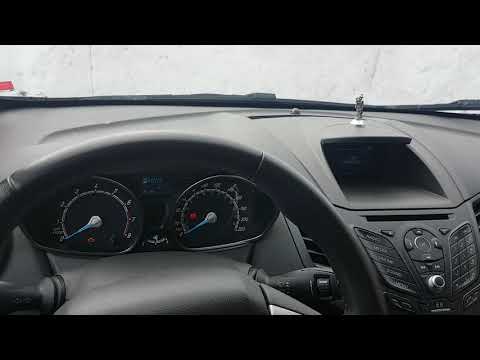
It will be possible to reset the Service light shown on the instrument panel of the Ford Fiesta by turning on the ignition, inserting the ignition key into the corresponding slot: once the key is turned on, you can navigate through the menu using the arrows on the right side and selecting the "Settings" option with the OK button. Then you will need to select the "Information" option, then "Oil life" and finally "Reset oil life": by selecting all these options, you will notice that the Service light has disappeared and you can now turn off the ignition as well.
Posted on 29 May 2025 by ScegliAuto
Video tutorial
Related tutorials
Ford Fiesta
(2008-2017 /
MK 6, Fiesta 6, MK VI)
In this new guide aimed at those of you who own a Ford Fiesta Mk6 (year 2016), we will describe all the steps you need to take if you intend to manua…
Ford Fiesta
(2008-2017 /
MK 6, Fiesta 6, MK VI)
To reset the Service light of the Ford Fiesta, you need to turn on the instrument panel by turning the key in the ignition switch. Once the panel is …

Ford Fiesta
(2002-2008 /
MK V, Fiesta 5, MK 5)
When the oil light comes on in a Ford Fiesta, it means that it is necessary to replace the vehicle's motor oil and only then reset the light. To rese…
Other guides you may be interested in
|
How to Remove the Headlight Bulb on a Honda Civic
Are the front headlight bulbs on your Honda Civic faulty? Follow this instructional video for the disassembly process. Open the bonnet of the engine compartment, remove the inspection caps from the headlights using a screwdriver, detach the bulb holders from the headlight, and disconnect the respective power connectors. Replace the damaged bulbs with new ones of the same size and voltage. After replacing the bulbs, reinstall the bulb holder in the headlight housing. Finally, close the rear of the headlights with the inspection caps. Test the lights to ensure they are functioning correctly. by ScegliAuto More videos
|
|
For advertising on this site Write to info@scegliauto.com
ScegliAuto is not responsible for any inaccuracy of the data in the lists. To report any inaccuracy or your business (if you own the business in question), please write to info@scegliauto.com
Number of seconds to generate the page: 0.100
(c) ScegliAuto 2026 - info@scegliauto.com - Privacy policy VAT number: IT01247470535 |
