
|
Do it yourself
| |||
| ||||


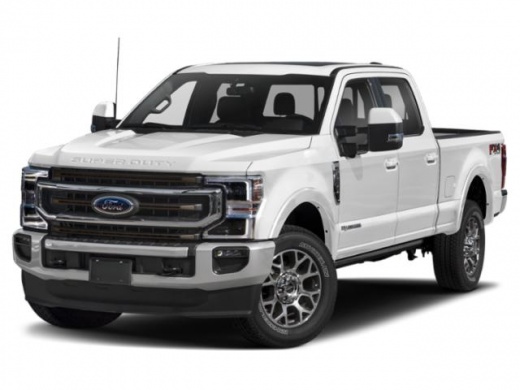
How to Replace the Side Mirror on a Ford F-350
Model: Ford F-350
P558
- Years:
2017, 2018, 2019, 2020, 2021, 2022, 2023
Video tutorial
In this video, you will learn how to replace the side mirror on a Ford F-350. Start by removing the plastic panel using a trim tool. Disconnect the connector and remove the four screws holding the mirror in place; while removing the last screw, hold the mirror to prevent it from falling. At this point, you can pull out the piece with a slight force and proceed with the replacement. Once the new piece is in place, reinstall the screws. Now, simply reconnect the connector and reattach the plastic cover removed at the beginning.
Updated on 2 June 2026 by ScegliAuto
Related tutorials
Ford F-350
(1999-2007 /
Phn131)
To replace the rearview mirror on the Ford F-350, you need to detach the triangular plastic cover located at the mirror on the inside of the door. On…

Ford F-350
(2011-2016 /
P473)
This guide shows how to replace the outside rearview mirror of the Ford F350 Super Duty p473. First, unscrew the four screws securing the inner door …

Ford F-350
(1999-2007 /
Phn131)
In this tutorial, you will see how to replace the front speakers in a Ford F-350 pickup, a very simple and quick operation. First, ensure that the in…
Other guides you may be interested in
|
How to Reset the Tyre Pressure Warning Light on the Opel Mokka?
To reset the tyre pressure warning light on the Opel Mokka, turn on the ignition by inserting the key into the ignition switch. Once the ignition is on, navigate through the menu that appears on the dashboard by pressing the MENU button on the lever to the left of the steering wheel. When the tyre pressure option appears, press and hold the SET/CLR button located on the same lever. This will reset the warning light, and you can then turn off the ignition. by ScegliAuto More videos
|
|
For advertising on this site Write to info@scegliauto.com
ScegliAuto is not responsible for any inaccuracy of the data in the lists. To report any inaccuracy or your business (if you own the business in question), please write to info@scegliauto.com
Number of seconds to generate the page: 0.026
(c) ScegliAuto 2026 - info@scegliauto.com - Privacy policy VAT number: IT01247470535 |
