
|
Do it yourself
| |||
| ||||


|
Model: Harley Davidson Fat Boy
In this short and simple guide, follow these steps to remove and replace the battery on a Harley Davidson Fat Boy. First, place your motorcycle on its stand and begin by removing the passenger and rider seats by unscrewing the bolts; then disconnect both battery terminals (positive and negative), as shown in the video. Now remove and replace the battery with a new one of the correct type and the same amperage; reconnect it and refit the seat!
Updated on 12 July 2026 by ScegliAuto
Video tutorial
Related tutorials
Fat Boy
In this tutorial, see how to replace the battery in a Harley-Davidson Fat Boy. First, ensure the key is not in the ignition. Remove the rider's seat,…

Fat Boy
It will be possible to replace the battery of the Harley Davidson Fat Boy by removing the side panels located next to the motorcycle seat, so that th…

Fat Boy
To replace the battery of the Harley Davidson Fat Boy, first, remove the side covers located next to the seat so that the side fixing screws can be l…
|
What Does the V-Belt Light Indicate on a Yamaha NMAX Scooter and How to Remove It?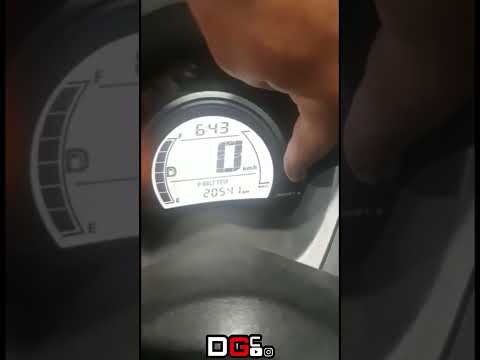
If the V-BELT light has illuminated on the instrument cluster of your Yamaha NMAX scooter, it means it is time to replace the drive belt as it has exceeded the relevant interval. You can entrust this maintenance task to your trusted workshop; the cost will not be particularly excessive. Once this is done, you can manually reset the light by following the procedure shown in this tutorial. First, turn on the instrument cluster, then repeatedly press the left button on the dashboard to reach the service interval in question. At this point, press and hold the right button once to initialise the reset, and a second time to complete it. by ScegliAuto More videos
|
|
For advertising on this site Write to info@scegliauto.com
ScegliAuto is not responsible for any inaccuracy of the data in the lists. To report any inaccuracy or your business (if you own the business in question), please write to info@scegliauto.com
Number of seconds to generate the page: 0.008
(c) ScegliAuto 2026 - info@scegliauto.com - Privacy policy VAT number: IT01247470535 |
