
|
Do it yourself
| |||
| ||||


Model: Honda Pcx 125
In this video, we see how to change the time on a Honda PCX 125: we turn on the ignition by turning the key in the ignition switch, and then we press and hold, simultaneously, the two buttons located on the sides of the display. This way, the time - which is located on the top left side of the display - will start flashing. By pressing the right button, we will switch from hours to minutes, while with the left button, we will adjust the time according to our needs. Once the adjustment is done, all we have to do is press the left button again to confirm, and the operation is complete.
Posted on 24 April 2025 by ScegliAuto
Video tutorial
Related tutorials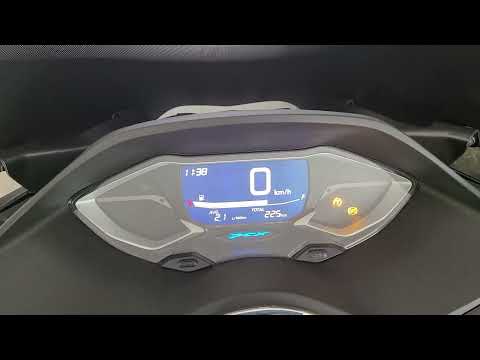
Pcx 125
To manually change the time displayed on the instrument panel of your Honda PCX 125, it only takes a few seconds. Once you have placed your Honda PCX…
Pcx 125
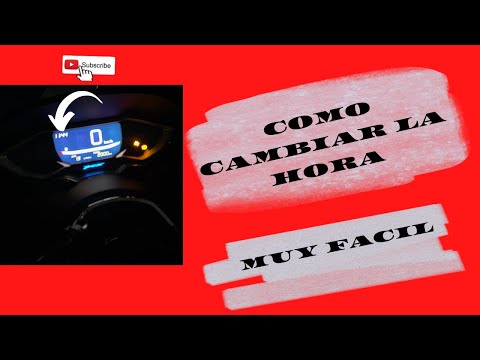
Here's how to change the time on the Honda PCX 125. Turn on the instrument panel, press and hold the "Select" and "Set" buttons simultaneously for fi…

Pcx 125
Here are the instructions to change and set the time on the Honda PCX 125 and PCX 160 scooters. First, place your scooter on the centre stand and tur…
|
How to replace the engine oil in the Ducati Monster S2R 1000?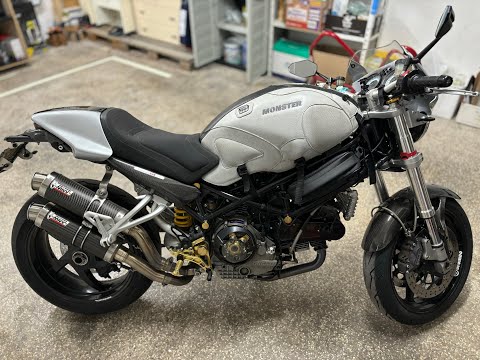
In this tutorial we can see how to replace the motor oil in the Ducati Monster S2R 1000, an extremely simple and fast operation. First of all, make sure that the engine is cold enough, then place a container underneath it, locate the drain plug and unscrew it using a hex key. Next, unscrew the cap of the secondary filter, remove it and clean it from any dirt residue. At this point, all that remains is to unscrew the main filter, tighten the replacement, reassemble everything and pour in the new oil through the appropriate hole. by ScegliAuto More videos
|
|
For advertising on this site Write to info@scegliauto.com
ScegliAuto is not responsible for any inaccuracy of the data in the lists. To report any inaccuracy or your business (if you own the business in question), please write to info@scegliauto.com
Number of seconds to generate the page: 0.006
(c) ScegliAuto 2026 - info@scegliauto.com - Privacy policy VAT number: IT01247470535 |
