
|
Do it yourself
| |||
| ||||


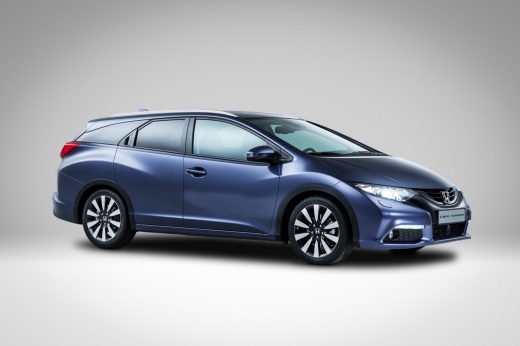
How to Reset the Maintenance Light on the 2019 Honda Civic
Model: Honda Civic
- Years:
2016, 2017, 2018, 2019, 2020, 2021
Video tutorial
If you want to reset the maintenance light on your 2019 Honda Civic yourself, simply follow this guide and apply all the steps. Start by getting into the driver's seat and turning on the instrument cluster, which also allows you to use the central infotainment system. Next, use the system to access the vehicle settings screen, then click on the "Maintenance info" option and then "All due items". Confirm the operation and you are done.
Posted on 2 November 2026 by ScegliAuto
Related tutorials
Honda Civic
(2012-2015 /
MK 9)
If you want to manually reset the maintenance light on the display of the instrument panel of your 2015 Honda Civic, simply follow the steps in this …

Honda Civic
(2012-2015 /
MK 9)
To reset the "Service" light on a Honda Civic, start by turning on the instrument cluster without starting the engine. On the left side of the dashbo…

Honda Civic
(2016-2021 /
MK 10)
To reset the service light on a Honda Civic, turn on the instrument panel without starting the engine. Press the "Menu" button on the dashboard or st…
Other guides you may be interested in
|
How to Set the Clock on the 2024 Toyota Aygo X
The steps to set the clock on the onboard computer of a 2024 Toyota Aygo X are simple and quick to perform independently. First, turn on the instrument cluster of the vehicle. Second, press the menu button on the onboard computer. Third, select the "configuration" option from the onboard computer. Fourth, select the "clock" option to set the desired hours and minutes. Fifth, return to the main menu and restart the instrument cluster. by ScegliAuto More videos
|
|
For advertising on this site Write to info@scegliauto.com
ScegliAuto is not responsible for any inaccuracy of the data in the lists. To report any inaccuracy or your business (if you own the business in question), please write to info@scegliauto.com
Number of seconds to generate the page: 0.028
(c) ScegliAuto 2026 - info@scegliauto.com - Privacy policy VAT number: IT01247470535 |
