
|
Do it yourself
| |||
| ||||


How to Replace Brake Pads on a Honda Ridgeline
Model: Honda Ridgeline
MK 1
- Years:
2005, 2006, 2007, 2008, 2009, 2010, 2011, 2012, 2013, 2014
Video tutorial
In this video tutorial, you will see how to replace the brake pads on a Honda Ridgeline. The first step is to purchase new pads from an authorized dealer. Next, remove the rear wheel. After loosening the wheel bolts, lift the rear of the vehicle with a jack and place safety jack stands. Once the car is lifted, completely remove the rear wheel. Use a 12 mm wrench to unscrew the caliper mounting bolts. Now, remove the old brake pads and install the new pads as shown in the video. Reinstall the caliper bolts with the 12 mm wrench, and then reattach the wheel.
Updated on 16 June 2026 by ScegliAuto
Related tutorials
Honda Ridgeline
(2005-2014 /
MK 1)
This guide shows how to replace the rear brake pads and rotor on the Honda Ridgeline Mk1. The first step is to remove the tire and lift the vehicle. …
Honda Ridgeline
(2016-2024 /
MK 2)
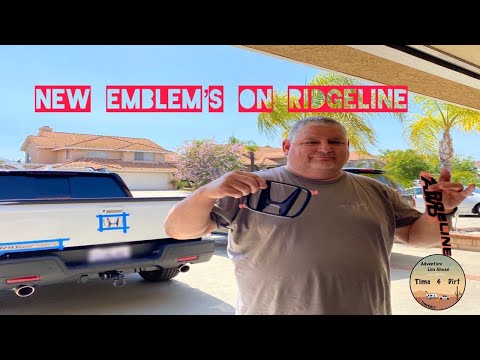
If there was a stereotype, it was that Americans loved chrome finishes. However, we can say this is not true, as videos of Americans wanting to chang…

Honda Ridgeline
(2016-2024 /
MK 2)
In the following guide, you will find a description of all the steps necessary to complete the battery replacement for the key of your second-generat…
Other guides you may be interested in
|
How to Reset the Air Conditioning on the Citroen C4 Picasso
Resetting the air conditioning on the Citroen C4 Picasso is a straightforward task that you can do independently, aided by our mini video tutorial. To perform this operation, switch on the ignition and turn on the air conditioning. Then, press the E button and the one with the spanner simultaneously for a few seconds while starting the engine. After that, release the buttons and the system reset will be complete. If the air conditioning still has issues, check the state of the fuses and replace them if necessary. by ScegliAuto More videos
|
|
For advertising on this site Write to info@scegliauto.com
ScegliAuto is not responsible for any inaccuracy of the data in the lists. To report any inaccuracy or your business (if you own the business in question), please write to info@scegliauto.com
Number of seconds to generate the page: 0.036
(c) ScegliAuto 2026 - info@scegliauto.com - Privacy policy VAT number: IT01247470535 |
