
|
Do it yourself
| |||
| ||||


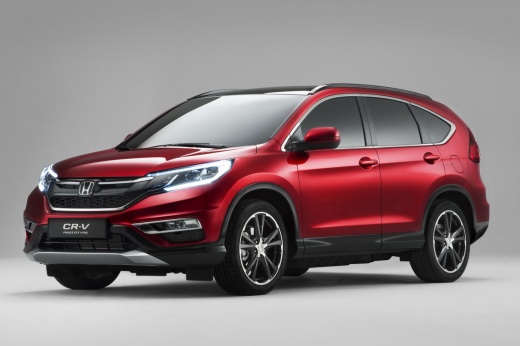
How to reset the tyre pressure warning light on the Honda CR-V?
Model: Honda CR-V
MK 4
- Years:
2012, 2013, 2014, 2015, 2016, 2017
Video tutorial
To reset the tyre pressure warning light on the Honda CR-V, turn on the instrument panel by turning the key in the ignition switch: once the panel is on, scroll through its menu using the directional controls on the steering wheel spokes. At this point, select the "Deflation warning system" option: then select the "Initialise" option to reset the light. To ensure the light turns off, inflate the tyres to the correct pressure.
Updated on 9 September 2026 by ScegliAuto
Related tutorials
Honda CR-V
(2007-2012 /
MK 3)
In order to reset the tire pressure warning light that appears on the instrument panel of the Honda CR-V, you need to inflate the tires to the correc…

Honda CR-V
(2012-2017 /
MK 4)
It will be possible to reset the tire pressure warning light of the Honda CR-V by turning on the instrument panel so that the presence of the warning…

Honda CR-V
(2007-2012 /
MK 3)
On the instrument panel of the Honda CR-V, the tire pressure warning light that is displayed can be reset by inflating the tires until they reach the…
Other guides you may be interested in
|
How to unlock the radio of the Iveco Daily
When an Iveco Daily displays the radio error message or prompts to enter the radio code, it means you need to enter the unlock code to resume using the radio. This situation occurs after replacing or disconnecting the vehicle's battery. Enter the unlock code, which can be found in the vehicle's user manual or calculated through the "radio code" website. Input the code using the numeric buttons and then confirm by pressing the OK button. Once this is done, turn off and then turn on the ignition. by ScegliAuto More videos
|
|
For advertising on this site Write to info@scegliauto.com
ScegliAuto is not responsible for any inaccuracy of the data in the lists. To report any inaccuracy or your business (if you own the business in question), please write to info@scegliauto.com
Number of seconds to generate the page: 0.100
(c) ScegliAuto 2026 - info@scegliauto.com - Privacy policy VAT number: IT01247470535 |
