
|
Do it yourself
| |||
| ||||


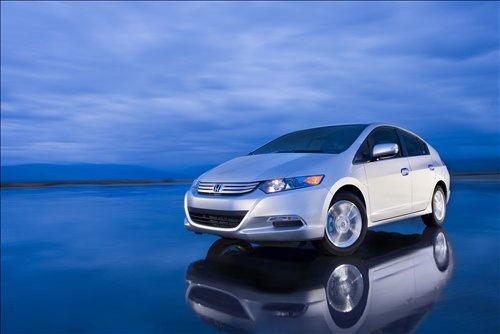
How to Adjust the Cover of the External Mirror on a Honda Insight
Model: Honda Insight
ZE3, ZE2
- Years:
2009, 2010, 2011, 2012, 2013, 2014
Video tutorial
To adjust the cover of the external mirror on a Honda Insight, follow these general steps. Open the door on the side of the mirror you wish to adjust. Locate the panel covering the base of the mirror inside the cabin. Carefully remove the panel to access the screws or clips holding the mirror cover in place. Loosen the screws or clips with an appropriate screwdriver or spanner, depending on the type of fastening present. Adjust the mirror cover to the desired position. Tighten the screws or clips to secure the cover in its new position. Refit the covering panel and ensure it is properly secured.
Updated on 28 September 2026 by ScegliAuto
Related tutorials
Honda Insight
(2019-2026 /
ZE4)
Today's step-by-step instructions will show you how to remove and replace the external wing mirror on the Honda Insight. First, open the front door a…

Honda Insight
(2009-2014 /
ZE3, ZE2)
Below we will discover the steps that will show us how to disassemble and replace the external rearview mirror of the Honda Insight. First, open the …

Honda Insight
(2009-2014 /
ZE3, ZE2)
In this tutorial, see how to replace the indicator lights on the wing mirrors of the Honda Insight, a very simple and quick operation. First, insert …
Other guides you may be interested in |
How to Reset the Tyre Pressure Light on a Cupra Formentor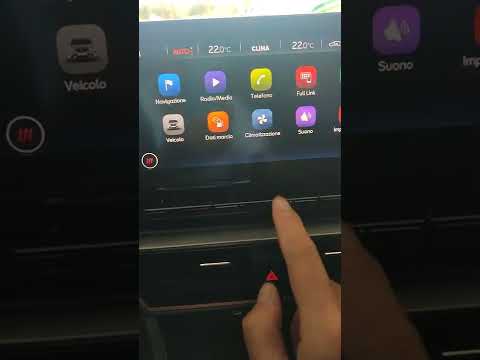
In this brief and simple video tutorial, learn how to reset the tyre pressure on a Cupra Formentor. Start by pressing the ignition button to turn on the instrument cluster. Now, use the touchscreen display on the central console to open the car menu. From here, select the driving data option, then the tyre pressure option. Now, click on the "SET" button with the pressure warning symbol and confirm the correct tyre pressure required by the manufacturer to perform the reset. by ScegliAuto More videos
|
|
For advertising on this site Write to info@scegliauto.com
ScegliAuto is not responsible for any inaccuracy of the data in the lists. To report any inaccuracy or your business (if you own the business in question), please write to info@scegliauto.com
Number of seconds to generate the page: 0.009
(c) ScegliAuto 2026 - info@scegliauto.com - Privacy policy VAT number: IT01247470535 |
