
|
Do it yourself
| |||
| ||||


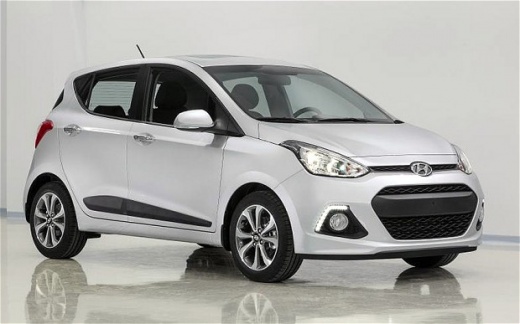
In the Hyundai i10, how do you reset the tire pressure light?
Model: Hyundai I10
IA, MK 2
- Years 2013-2020
What we will delve into about the Hyundai I10, the car visible in the video, is the tire pressure monitoring system. Everything is focused on the sensors installed in the tires, which, upon detecting a drop in pressure, send a signal to the control unit, which in turn lights up the warning light. Whether it is a puncture, simply deflated tire, or something else, it must be immediately checked and restored, keeping in mind that there are no specific operations to be performed to reset the aforementioned warning light. In fact, automatically, once the damage is repaired and all tires are inflated, it will turn off after a few meters of driving the car.
Posted on 25 May 2025 by ScegliAuto
Video tutorial
Related tutorials
Hyundai I10
(2019-2026 /
AI3, AC3)
Today we will explain how to reset the tire pressure warning light on the Hyundai I10. The parameters related to tire pressure on an I10 vehicle are …

Hyundai I10
(2019-2026 /
AI3, AC3)
If our Hyundai I10, like all recently built cars, has a flat or deflated tire, we will see the warning light on the instrument panel light up. Once t…

Hyundai I10
(2019-2026 /
AI3, AC3)
In this video we see how to reset the tire pressure monitoring system (TPMS) maintenance light on the dashboard of a Hyundai I10: as the artificial i…
Other guides you may be interested in
|
Where is the Spare Wheel in the Peugeot 5008?
This video shows where the spare wheel is located in the Peugeot 5008 and how to access it, useful in case of a puncture. As shown, the wheel is not in the usual boot compartment but underneath it, outside the vehicle. To free the wheel, first gather the tools provided, then open the boot, locate the small indicated hatch, and open it. Next, loosen the bolt just released using the large socket wrench enough to lower the wheel to the ground. by ScegliAuto More videos
|
|
For advertising on this site Write to info@scegliauto.com
ScegliAuto is not responsible for any inaccuracy of the data in the lists. To report any inaccuracy or your business (if you own the business in question), please write to info@scegliauto.com
Number of seconds to generate the page: 0.109
(c) ScegliAuto 2026 - info@scegliauto.com - Privacy policy VAT number: IT01247470535 |
