
|
Do it yourself
| |||
| ||||


How to Replace the Front Brake Pads on the Kawasaki Z1000 SX
Model: Kawasaki Z1000 Sx
Video tutorial
In this tutorial, learn how to replace the front brake pads on the Kawasaki Z1000 SX, a very simple and quick operation. First, position yourself in front of the brake in question, then loosen the two pins with a 5mm hex key and remove the two bolts with a 12mm socket. Next, separate the caliper from the bracket, extract the pins, and remove the old pads. Now, clean any dirt residue, insert the replacement pads, and reassemble everything by following the reverse procedure.
Updated on 26 September 2026 by ScegliAuto
Related tutorials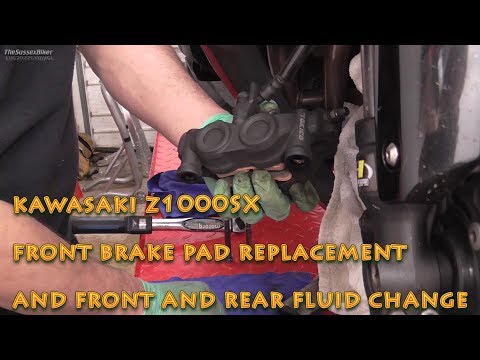
Z1000 Sx
This guide provides instructions on how to remove and replace the front brake pads on the Kawasaki Z1000 SX motorcycle, following these simple steps.…

Z1000 Sx
In this brief guide, follow the steps to remove and then refit the front wheel on a Kawasaki Z1000 SX. Start by positioning the front stand under the…

Z1000 Sx
This video shows how to remove and replace the front brake fluid reservoir on a Kawasaki Z1000 SX in simple steps. First, obtain the correct new rese…
|
How to Replace the Coolant in a Yamaha T Max
Replacing the coolant in a Yamaha T Max is a very simple operation that you can do independently, thanks to our brief video tutorial that will guide you through all the steps. The first thing to do is remove the side fairing of the scooter; once the cover is removed, you can clean the coolant circuit. Continue by opening the cap of the reservoir located on the left side, then remove the clip that holds the hose. Once removed, you can let the fluid drain out. The next step is to add one litre of coolant directly from the radiator cap and then add more fluid into the reservoir before closing the cap. After finishing with the coolant, replace the sump filter. Remove it from its housing by unscrewing the two screws with a 10 mm spanner, then insert the new filter. by ScegliAuto More videos
|
|
For advertising on this site Write to info@scegliauto.com
ScegliAuto is not responsible for any inaccuracy of the data in the lists. To report any inaccuracy or your business (if you own the business in question), please write to info@scegliauto.com
Number of seconds to generate the page: 0.008
(c) ScegliAuto 2026 - info@scegliauto.com - Privacy policy VAT number: IT01247470535 |
