
|
Do it yourself
| |||
| ||||


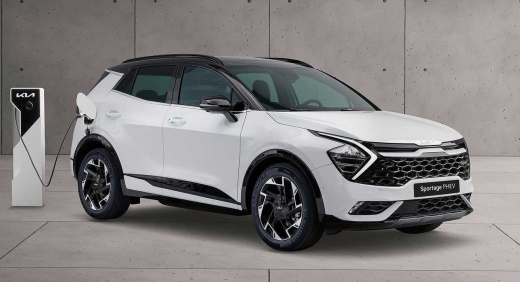
Features of the Kia Sportage
Model: Kia Sportage
MK 5, NQ5
- Years:
2021, 2022, 2023, 2024, 2025, 2026
Video tutorial
The video shows useful functions of the dual-screen (or split-screen) system in the Kia Sportage: the central screen can display both climate controls and infotainment (music, navigation, etc.). There is a quick switch between the two modes using dedicated buttons below the screen. To set a default, press and hold the toggle button (the one that alternates between climate and infotainment): a menu appears allowing you to choose which mode should be displayed as default. For example, if you select "climate", every time you use a quick link for infotainment, the screen will automatically revert to climate control after a moment. There is also a dedicated button on the door panel that activates the heated side mirrors (useful for removing condensation in winter).
Posted on 8 May 2026 by ScegliAuto
Related tutorials
Kia Sportage
(2021-2026 /
MK 5, NQ5)
If the cigarette lighter socket in your KIA Sportage has suddenly stopped working, the first thing to do is check the status of the respective fuse, …
Kia Sportage
(2021-2026 /
MK 5, NQ5)
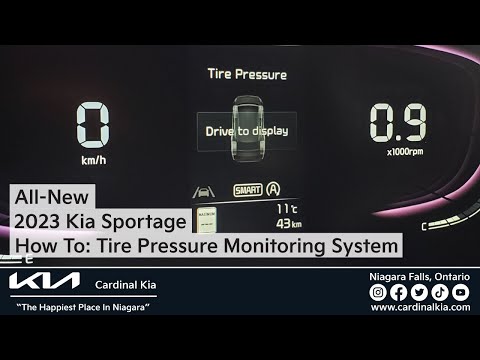
In today's video, you will learn how to reset the TPMS light in the Kia Sportage currently on sale. First, check the tyre pressures and, if necessary…

Kia Sportage
(2010-2016 /
MK 3, SL)
In this video, you can see where the fuse boxes are located in the KIA Sportage and their respective diagrams, useful in case a device malfunctions a…
Other guides you may be interested in |
How to Set the Time in an Audi A4?
In this tutorial, you will see how to set the time in an Audi A4, a very simple and quick operation to perform after replacing the battery or when the time changes. First, insert the key and turn on the instrument cluster. Then, press the "SETUP" button located on the center console. Next, press the upper left arrow button, navigate to the "Time" option, and use the central knob to adjust the clock. Finally, set any necessary formats and save by returning to the main screen. by ScegliAuto More videos
|
|
For advertising on this site Write to info@scegliauto.com
ScegliAuto is not responsible for any inaccuracy of the data in the lists. To report any inaccuracy or your business (if you own the business in question), please write to info@scegliauto.com
Number of seconds to generate the page: 0.085
(c) ScegliAuto 2026 - info@scegliauto.com - Privacy policy VAT number: IT01247470535 |
