
|
Do it yourself
| |||
| ||||


How to Reset the Service Light on the KIA Cee'd?
Model: Kia Cee D
MK 3, CD
- Years 2018-2024
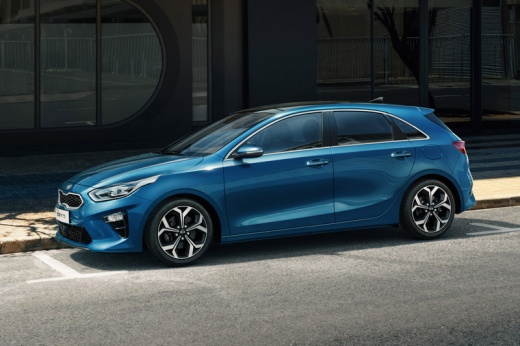
In this tutorial, you will learn how to reset the service light on the KIA Cee'd, a very simple and quick operation to be performed only after completing all scheduled maintenance tasks. First, enter the cabin, then insert the key and turn on the instrument cluster. Next, access the general menu by pressing the "SETUP" button on the central console, go to "Settings", "Vehicle", "Cluster", "Service Interval", and perform the reset by selecting the corresponding option. To complete the procedure, simply restart the vehicle.
Posted on 1 October 2026 by ScegliAuto
Video tutorial
Related tutorials
Kia Cee D
(2018-2024 /
MK 3, CD)
In this tutorial, you will see how to reset the service in a KIA Cee'd, an extremely simple and quick operation, to be carried out only after complet…

Kia Cee D
(2018-2024 /
MK 3, CD)
In this tutorial, we can see how to reset the service in the KIA Cee'd, an extremely simple and quick operation to be performed only once all schedul…

Kia Cee D
(2012-2018 /
JD, MK 2)
In this tutorial we can see how to reset the service in the KIA Cee'd, an extremely simple and quick operation, to be carried out only after completi…
Other guides you may be interested in
|
How to Disable the Eco Mode on the Peugeot 3008
Disabling the Eco mode on the Peugeot 3008 is a simple and quick task to perform, and today you will learn how to do this. To disable the ECO mode, you need to: - turn on the instrument cluster; - press the ECO button located on the window lift control panel; - turn off and then turn on the instrument cluster again; To reactivate the ECO mode, you will need to follow the same steps. The energy-saving mode activates when you need to conserve battery power, especially when the battery does not have enough charge to use all functions. by ScegliAuto More videos
|
|
For advertising on this site Write to info@scegliauto.com
ScegliAuto is not responsible for any inaccuracy of the data in the lists. To report any inaccuracy or your business (if you own the business in question), please write to info@scegliauto.com
Number of seconds to generate the page: 0.775
(c) ScegliAuto 2026 - info@scegliauto.com - Privacy policy VAT number: IT01247470535 |
