
|
Do it yourself
| |||
| ||||


How to perform a reset of the Kia Stonic onboard computer?
Model: Kia Stonic
MK 1
- Years 2017-2024
The factory reset of the Kia Stonic's onboard computer is a very simple operation that can be performed completely autonomously, thanks also to our video guide. We start the reset by turning on the vehicle's instrument panel and then the onboard computer, from which we will select the "Settings" option. Immediately after, we select the "System Settings" option, and on the page that appears, we press 6 times on the left side and 2 times on the right side. On the next page, we select "Confirmations" and then "Factory Data Reset". Once selected, the computer will turn off and the reset will begin. After it finishes, the computer will turn back on and will need to be set up again.
Posted on 15 September 2023 by ScegliAuto
Video tutorial
Related tutorials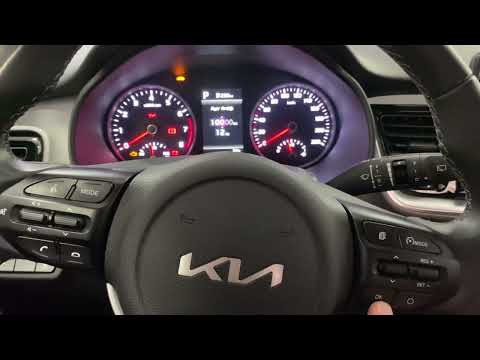
Kia Stonic
(2017-2024 /
MK 1)
Through these brief instructions, we will see how to reset the service light for regular maintenance of the engine oil change on the Kia Stonic. Firs…

Kia Stonic
(2017-2024 /
MK 1)
In this video we can see how to reset the factory settings on the on-board computer of the Kia Stonic. This function is particularly useful if we hav…

Kia Stonic
(2017-2024 /
MK 1)
Today we will explain how to reset the service light of the 2018 Kia Stonic. To perform this operation, we need to turn on the instrument panel and i…
Other guides you may be interested in
|
Replacing the Battery in a Mercedes A-Class
Is the battery in your Mercedes A-Class dead? Can't start the car? Replace the battery. Open the car door and slide the passenger seat back; the battery is under the front mat (in other cars, it is usually located in the engine compartment). Remove the mat and the plastic cover from the battery. Start loosening the battery terminal bolts with a socket wrench. Remove the old battery using the plastic handle and install a new one, tightening the power terminals. Close the battery compartment and cover it with the mat. by ScegliAuto More videos
|

|
For advertising on this site Write to info@scegliauto.com
ScegliAuto is not responsible for any inaccuracy of the data in the lists. To report any inaccuracy or your business (if you own the business in question), please write to info@scegliauto.com
Number of seconds to generate the page: 0.054
(c) ScegliAuto 2026 - info@scegliauto.com - Privacy policy VAT number: IT01247470535 |
