
|
Do it yourself
| |||
| ||||


Model: Kymco Dt X360
Today we will see the information that will allow us to change the time on the display of the instrument panel of the Kymco DT X360 scooter. First of all, turn on the scooter's instrument panel and start pressing and holding the mode button found on the right of the handlebar controls, until the time starts flashing; then use the arrow controls to first change the hour and then the minutes, as shown in the video. At this point, exit the time setting to save the changes made, finally starting the engine!
Posted on 18 January 2025 by ScegliAuto
Video tutorial
Related tutorials
Dt X360
Today's instructions will guide us through the steps necessary to replace or recharge the battery of the Kymco DT X360 scooter. First, we put the sco…
|
How to Replace the Windscreen of the Kymco CV3?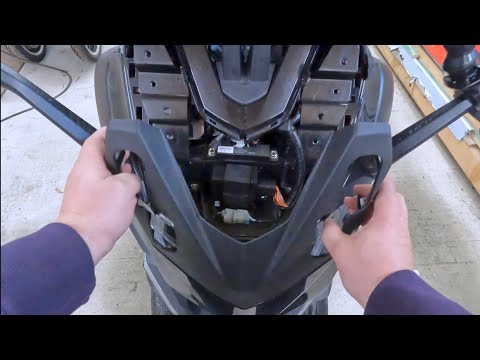
To replace the windscreen of the Kymco CV3, loosen the four screws located on the outer part of the windscreen: once these screws are loosened, you can completely detach the windscreen from its housing, allowing you to insert the new one. After installation, secure the new windscreen by reinserting the appropriate screws on the outer part; this way, ensure that the new replacement part is fitted correctly and does not cause any issues or difficulties while riding the scooter. by ScegliAuto More videos
|
|
For advertising on this site Write to info@scegliauto.com
ScegliAuto is not responsible for any inaccuracy of the data in the lists. To report any inaccuracy or your business (if you own the business in question), please write to info@scegliauto.com
Number of seconds to generate the page: 0.005
(c) ScegliAuto 2026 - info@scegliauto.com - Privacy policy VAT number: IT01247470535 |
