
|
Do it yourself
| |||
| ||||


Service reset on Kymco CV3
Model: Kymco Cv3
Video tutorial
In today's tutorial, you will see the step-by-step procedure to reset the service on a Kymco CV3 using only the buttons on the right handlebar. Let's start by pressing and holding the up arrow button to turn on the vehicle's injection without starting the engine. Then, press the down arrow button to enter the reset screen as shown in the video. Next, select the various items to reset, such as "engine oil" and "oil filter", and reset them by pressing the orange button. Finally, restart the vehicle.
Posted on 20 March 2025 by ScegliAuto
Related tutorials
Cv3
To reset the Kymco CV3 ECU using the Kymco Noodoe app, first connect your smartphone to the scooter and then open the app. Once opened, tap the icon …

Cv3
In this tutorial we can see how to reset the oil service on the Kymco CV3 scooter, an extremely simple and quick operation, to be performed only once…
Cv3
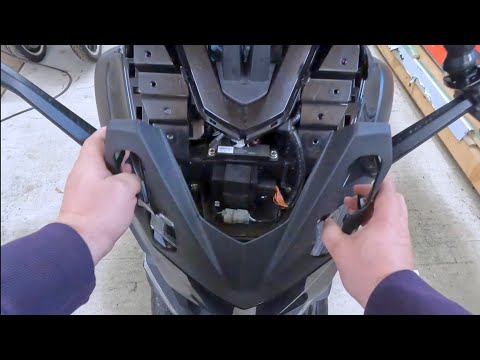
To replace the windscreen of the Kymco CV3, loosen the four screws located on the outer part of the windscreen: once these screws are loosened, you c…
ScegliAuto offers an extensive international collection of automotive tutorials available in 12 languages. Each guide combines instructional videos with original explanations written by experienced human editors, along with information about the car models covered.
|
How to Reset the Oil Check Light on the Sym MaxSym TL 500?
To reset the Oil Check light on the Sym MaxSym TL 500, you need to turn on the ignition by turning the key in the ignition switch: once this is done, you can press and hold the M button until the "OIL" message appears on the instrument panel. When this appears, you can press the S button located on the left side of the instrument panel twice in succession: this way, you will notice that the Service light will completely disappear from the instrument panel, which can then be turned off again. by ScegliAuto More videos
|
|
For advertising on this site Write to info@scegliauto.com
ScegliAuto is not responsible for any inaccuracy of the data in the lists. To report any inaccuracy or your business (if you own the business in question), please write to info@scegliauto.com
Number of seconds to generate the page: 0.008
(c) ScegliAuto 2026 - info@scegliauto.com - Privacy policy - About us VAT number: IT01247470535 |
