
|
Do it yourself
| |||
| ||||


Model: Kymco Cv3
To reset the Kymco CV3 ECU using the Kymco Noodoe app, first connect your smartphone to the scooter and then open the app. Once opened, tap the icon with three horizontal lines in the bottom right corner and select "Vehicle Information". When this option is selected, you will find the option to reset all ECU parameters at the bottom of the screen: selecting it will allow you to confirm the reset, waiting a few seconds for it to complete.
Updated on 23 August 2026 by ScegliAuto
Video tutorial
Related tutorials
Cv3
In this tutorial we can see how to reset the oil service on the Kymco CV3 scooter, an extremely simple and quick operation, to be performed only once…

Cv3
In today's tutorial, you will see the step-by-step procedure to reset the service on a Kymco CV3 using only the buttons on the right handlebar. Let's…
Cv3
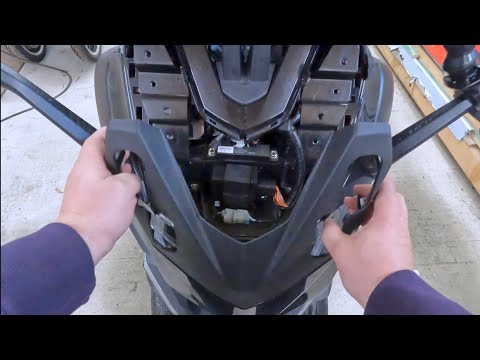
To replace the windscreen of the Kymco CV3, loosen the four screws located on the outer part of the windscreen: once these screws are loosened, you c…
|
How to Top Up the Oil in the Aprilia SR 50 R Scooter?
In this tutorial, you will see how to top up the oil in the Aprilia SR 50 R scooter, a very simple and quick operation to perform periodically. First, open the small lower compartment and retrieve the supplied tools, then remove the screws securing the front panel located at the back. Once removed, locate the oil reservoir, which is on your left, and unscrew the cap. At this point, proceed to top up the oil until you reach the optimal level, then reassemble everything by following the reverse procedure. by ScegliAuto More videos
|
|
For advertising on this site Write to info@scegliauto.com
ScegliAuto is not responsible for any inaccuracy of the data in the lists. To report any inaccuracy or your business (if you own the business in question), please write to info@scegliauto.com
Number of seconds to generate the page: 0.005
(c) ScegliAuto 2026 - info@scegliauto.com - Privacy policy VAT number: IT01247470535 |
