
|
Do it yourself
| |||
| ||||


|
Model: Kymco Downtown 350
In this tutorial, you will see how to set the time on a Kymco Downtown 350 scooter, a very simple and quick operation to perform, for example, after disconnecting the battery or when switching between standard and daylight saving time. First, insert the key, then turn on the instrument panel and press and hold both the 'MODE' and 'ADJ' buttons until the clock starts to flash. Next, adjust the hour using the 'ADJ' button, switch to minutes with the 'MODE' button, and adjust them in the same way. To save the setting, simply press the 'TPM' button.
Posted on 7 July 2026 by ScegliAuto
Video tutorial
Related tutorials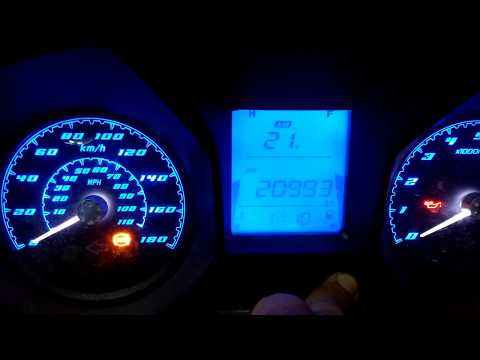
Downtown 350
To set the clock on the Kymco DownTown 350, start by turning the key to switch on the display. Press the "MODE" button until "ODO" appears on the dis…

Downtown 350
Today we will see the instructions that will allow us to perform a complete service on the Kymco Downtown 350 scooter. First of all, we put the scoot…

Downtown 350
Here are the instructions to remove and replace the battery of the Kymco Downtown 350 scooter in simple and quick steps. First, place the scooter on …
|
How to Replace the Air Filter in the KTM Adventure 990
In this tutorial, see how to replace the air filter in the KTM Adventure 990, a very simple and quick operation. First, insert the key into the left ignition switch, then turn it and detach the seat from the base. Next, remove the plastic cover from the tank, locate the filter box, and open it by unscrewing the four fastening screws. At this point, remove the old filter, clean the inside of the housing from any dirt residue, and insert the new part. To reassemble everything, simply follow the reverse procedure. by ScegliAuto More videos
|
|
For advertising on this site Write to info@scegliauto.com
ScegliAuto is not responsible for any inaccuracy of the data in the lists. To report any inaccuracy or your business (if you own the business in question), please write to info@scegliauto.com
Number of seconds to generate the page: 0.005
(c) ScegliAuto 2026 - info@scegliauto.com - Privacy policy VAT number: IT01247470535 |
