
|
Do it yourself
| |||
| ||||


Lamborghini Huracan - Tire pressure warning lightTire Pressure Warning Light Lamborghini Huracan (2014-2024 / mk 1) Lamborghini Huracan (2014-2024 / MK 1) How to reset the DPMS light on the Lamborghini Huracan Resetting the tire monitoring warning light is a simple and quick operation that can be done independently even on the Lamborghini Huracan. To perform this …Read all… Posted on 18 January 2026 by ScegliAuto  Lamborghini Huracan (2014-2024 / MK 1) How to reset the TPMS light on the 2020 Huracan EVO The TPMS light turns on in a Lamborghini when it is necessary to check the tire pressure. After checking the pressure, it is necessary to perform the necessary …Read all… Posted on 28 July 2025 by ScegliAuto  Lamborghini Huracan (2014-2024 / MK 1) How to reset the TPMS light on the Lamborghini Huracan The steps to reset the TPMS light on a Lamborghini Huracán are not so different from the steps to reset other models of sports cars. The first step is to turn …Read all… Posted on 13 May 2025 by ScegliAuto 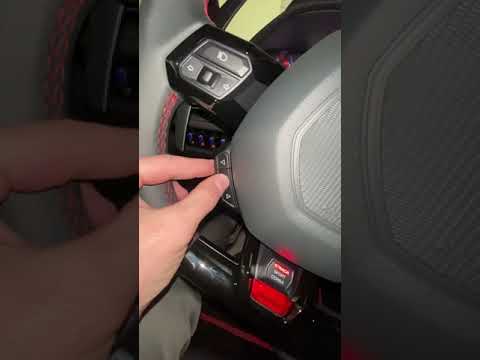 Lamborghini Huracan (2014-2024 / MK 1) How to Reset the TPMS Light on a Lamborghini Huracan Evo Resetting the tyre pressure monitoring system (TPMS) light on the Lamborghini Huracan Evo is a straightforward task that can be done independently in just a …Read all… Posted on 20 September 2026 by ScegliAuto Key (1) Exhaust muffler (1) Instrument cluster (1) Tire pressure warning light (4) Manufacturer emblem (1) |
How to Change the Date and Time on the Renault Scenic
In this guide, you will find instructions to change the date and time on the Renault Scenic in simple steps. First, get in the vehicle and turn on the instrument panel; then navigate to the vehicle settings using the knob, selecting the clock menu, as shown in the video. At this point, you can modify the time and date, also selecting the desired format; finally, exit the settings menu to save the changes, allowing you to adjust the time at any moment! by ScegliAuto More videos
|
|
For advertising on this site Write to info@scegliauto.com
ScegliAuto is not responsible for any inaccuracy of the data in the lists. To report any inaccuracy or your business (if you own the business in question), please write to info@scegliauto.com
Number of seconds to generate the page: 0.007
(c) ScegliAuto 2026 - info@scegliauto.com - Privacy policy - About us VAT number: IT01247470535 |
