
|
Do it yourself
| |||
| ||||


Mercedes Glb - Warning light – error codeWarning Light – Error Code Mercedes Glb (2019-2026 / mk 1)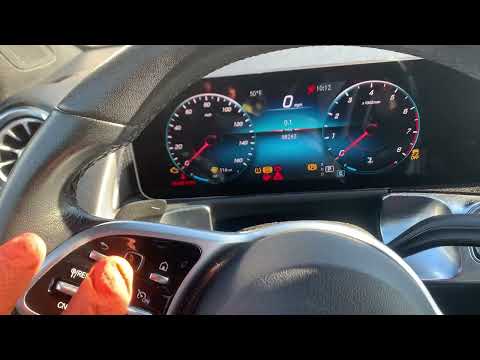 Mercedes Glb (2019-2026 / MK 1)
How to Reset the Maintenance Light on a 2020 Mercedes GLB In this guide for all of you who own a 2020 Mercedes GLB, we will discover the steps to take if you want to reset the maintenance light on the instrument panel …Read all… Posted on 3 September 2026 by ScegliAuto  Mercedes Glb (2019-2026 / MK 1)
How to Reset the Service Light on the Mercedes GLB In today's video, see how to reset the service light on the Mercedes GLB. This tutorial may also apply to other contemporary models from the German …Read all… Posted on 3 October 2026 by ScegliAuto Battery (2) Body (1) Key (2) Checks and maintenance (1) Cabin air filter (1) Antifreeze coolant (1) Clock (3) Brake pads (1) Fuse box (3) Warning light – error code (2) (2) Service warning light (4) Fuel cap (1) Blower motor (1) |
How to Set the Time and Date on a Citroen C3 Picasso
Setting the time and date on a Citroen C3 Picasso is very straightforward. First, turn on the vehicle and press the Menu button on the radio to access the car settings. Press the arrow button to scroll through the menu and select the "TIME" option. Set the hours and press the OK button. Next, adjust the minutes. Once completed, proceed to set the date. Select the "DATE" option and use the same buttons to set the date. Finally, switch off the instrument panel and restart it to verify the new time and date settings. by ScegliAuto More videos
|
|
For advertising on this site Write to info@scegliauto.com
ScegliAuto is not responsible for any inaccuracy of the data in the lists. To report any inaccuracy or your business (if you own the business in question), please write to info@scegliauto.com
Number of seconds to generate the page: 0.005
(c) ScegliAuto 2026 - info@scegliauto.com - Privacy policy VAT number: IT01247470535 |
