
|
Do it yourself
| |||
| ||||


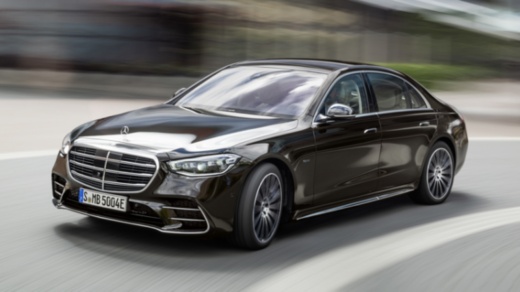
How to Reset the "Service" Light on a Mercedes S-Class?
Model: Mercedes Classe S
W223
- Years:
2020, 2021, 2022, 2023, 2024, 2025, 2026
Video tutorial
To reset the "Service" light on a Mercedes S-Class, turn on the ignition without starting the engine. Using the controls on the steering wheel, access the main menu displayed on the screen. Navigate to the maintenance or service reminder section, depending on the system version. Once you find the reset option, select it using the directional buttons and confirm by following the on-screen instructions. The procedure takes just a few moments to complete. Once finished, turn off and turn on the ignition to check that the light is no longer active. If it does not appear, the reset was successful and the maintenance system has been updated.
Updated on 5 November 2026 by ScegliAuto
Related tutorials
Mercedes Classe S
(1991-1998 /
W140, MK 3)
.. it is to reset the service light on a Mercedes S-Class W140 version: the only precaution is to make sure that all doors, as well as the trunk and hood,.. …

Mercedes Classe S
(2013-2020 /
MK 6, W222)
.. the tire pressure warning light on a Mercedes S-Class, we need to turn on the vehicle's instrument panel and press the menu button on the steering wheel... …

Mercedes Classe S
(2005-2013 /
W221, MK 5)
.. The Mercedes S-Class model W221 follows the same steps used by other Mercedes models to reset the service light. The.. …
Other guides you may be interested in
|
How to Reset the Tyre Pressure Warning Light on the Opel Mokka?
To reset the tyre pressure warning light on the Opel Mokka, turn on the ignition by inserting the key into the ignition switch. Once the ignition is on, navigate through the menu that appears on the dashboard by pressing the MENU button on the lever to the left of the steering wheel. When the tyre pressure option appears, press and hold the SET/CLR button located on the same lever. This will reset the warning light, and you can then turn off the ignition. by ScegliAuto More videos
|
|
For advertising on this site Write to info@scegliauto.com
ScegliAuto is not responsible for any inaccuracy of the data in the lists. To report any inaccuracy or your business (if you own the business in question), please write to info@scegliauto.com
Number of seconds to generate the page: 0.039
(c) ScegliAuto 2026 - info@scegliauto.com - Privacy policy VAT number: IT01247470535 |
