
|
Do it yourself
| |||
| ||||


How to Replace the Brake Pads on the 2019 Mercedes GLA
Model: Mercedes Gla
MK 1, W156
- Years 2013-2019
To replace the rear brake pads on the 2019 Mercedes GLA, remove the rear wheels and lift the vehicle. Unscrew the bolts of the caliper, remove the old pads after securing the clips, and finish by cleaning off any rust residue. Use a special tool to push the brake caliper outwards and the piston inwards. Secure the new pads and refit the rear wheels. Lower the vehicle and test the brakes. It is important to proceed cautiously during the testing process, as improper installation could cause damage to yourself or the vehicle.
Posted on 25 February 2026 by ScegliAuto
Video tutorial
Related tutorials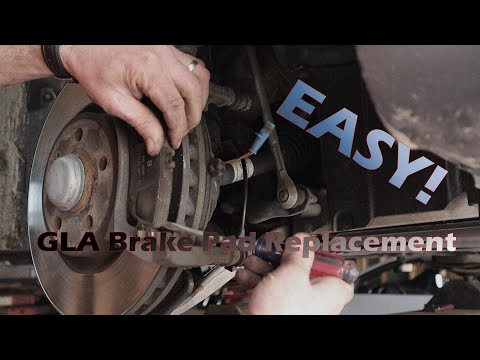
Mercedes Gla
(2013-2019 /
MK 1, W156)
Before you can start, lift the front of your Mercedes GLA. Begin by removing the left front wheel by unscrewing the fixing bolts. Next, unscrew and r…

Mercedes Gla
(2013-2019 /
MK 1, W156)
If it is time to replace the engine air filter of your Mercedes GLA 200D and you want to perform the operation yourself, simply read the following gu…

Mercedes Gla
(2013-2019 /
MK 1, W156)
If you own a 2017 Mercedes GLA and want to find the OBD port to connect any compatible diagnostic tool, simply read the following guide carefully and…
Other guides you may be interested in
|
How to reset the tyre pressure warning light on the Dacia Sandero?
To reset the tyre pressure warning light on the Dacia Sandero, inflate all the tyres to the pressure indicated on the label on the driver's door. Once the tyres are inflated, turn on the ignition and navigate through the menu using the controls on the right side of the steering wheel. Scroll with the arrows to find the tyre pressure option: by holding down the OK button located on the right side of the steering wheel, you can reset the warning light. by ScegliAuto More videos
|
|
For advertising on this site Write to info@scegliauto.com
ScegliAuto is not responsible for any inaccuracy of the data in the lists. To report any inaccuracy or your business (if you own the business in question), please write to info@scegliauto.com
Number of seconds to generate the page: 1.982
(c) ScegliAuto 2026 - info@scegliauto.com - Privacy policy VAT number: IT01247470535 |
