
|
Do it yourself
| |||
| ||||



How to Reset the Service Light on a Mercedes GL?
Model: Mercedes Gl
MK 2, X166
- Years:
2012, 2013, 2014, 2015, 2016, 2017, 2018, 2019
Video tutorial
In this tutorial, you will learn how to reset the service light on a Mercedes GL, a very simple and quick operation to perform only after completing all scheduled maintenance work. First, enter the cabin, then insert the key and turn on the ignition. Next, navigate to the odometer screen, press and hold both the call button and the "OK" button, and in the menu that appears, select "ASSYST PLUS". Now, simply enter "Full Service", "Conf. Full Serv.", and select the type of oil used from the list.
Posted on 25 March 2026 by ScegliAuto
Related tutorials
Mercedes Gl
(2012-2019 /
MK 2, X166)
Resetting the service light in the Mercedes GL 450, as shown in this tutorial, is a straightforward and quick operation. Before proceeding, ensure al…

Mercedes Gl
(2012-2019 /
MK 2, X166)
In this tutorial, we can see how to reset the service in the Mercedes GL, an extremely simple and quick operation, to be carried out only once all sc…
Mercedes Gl
(2006-2012 /
X164, MK 1)
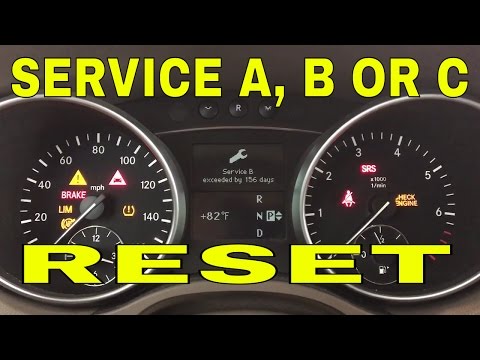
To reset the service indicator on a Mercedes GL, start by placing the key in position 1 so that only the SRS light comes on (do not turn on the ignit…
Other guides you may be interested in |
Where are the fuses located in the Renault Megane 2?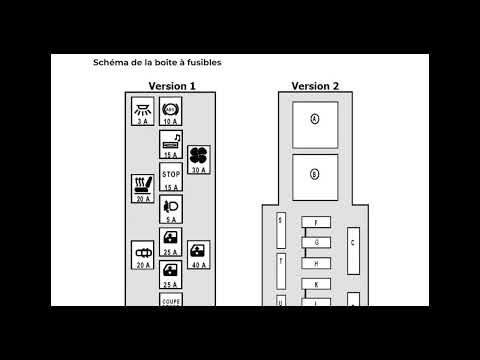
The fuses in the Renault Megane 2 are divided within the specific fuse boxes installed in the vehicle: this model has two fuse boxes. The first is located inside the dashboard, at the bottom left of the steering column: this box contains the fuses for the window lifters, heated seats, courtesy lights, etc. The second fuse box is positioned on the right side of the engine bay and contains the fuses for the windscreen wipers, horn, etc. by ScegliAuto More videos
|
|
For advertising on this site Write to info@scegliauto.com
ScegliAuto is not responsible for any inaccuracy of the data in the lists. To report any inaccuracy or your business (if you own the business in question), please write to info@scegliauto.com
Number of seconds to generate the page: 0.095
(c) ScegliAuto 2026 - info@scegliauto.com - Privacy policy VAT number: IT01247470535 |
